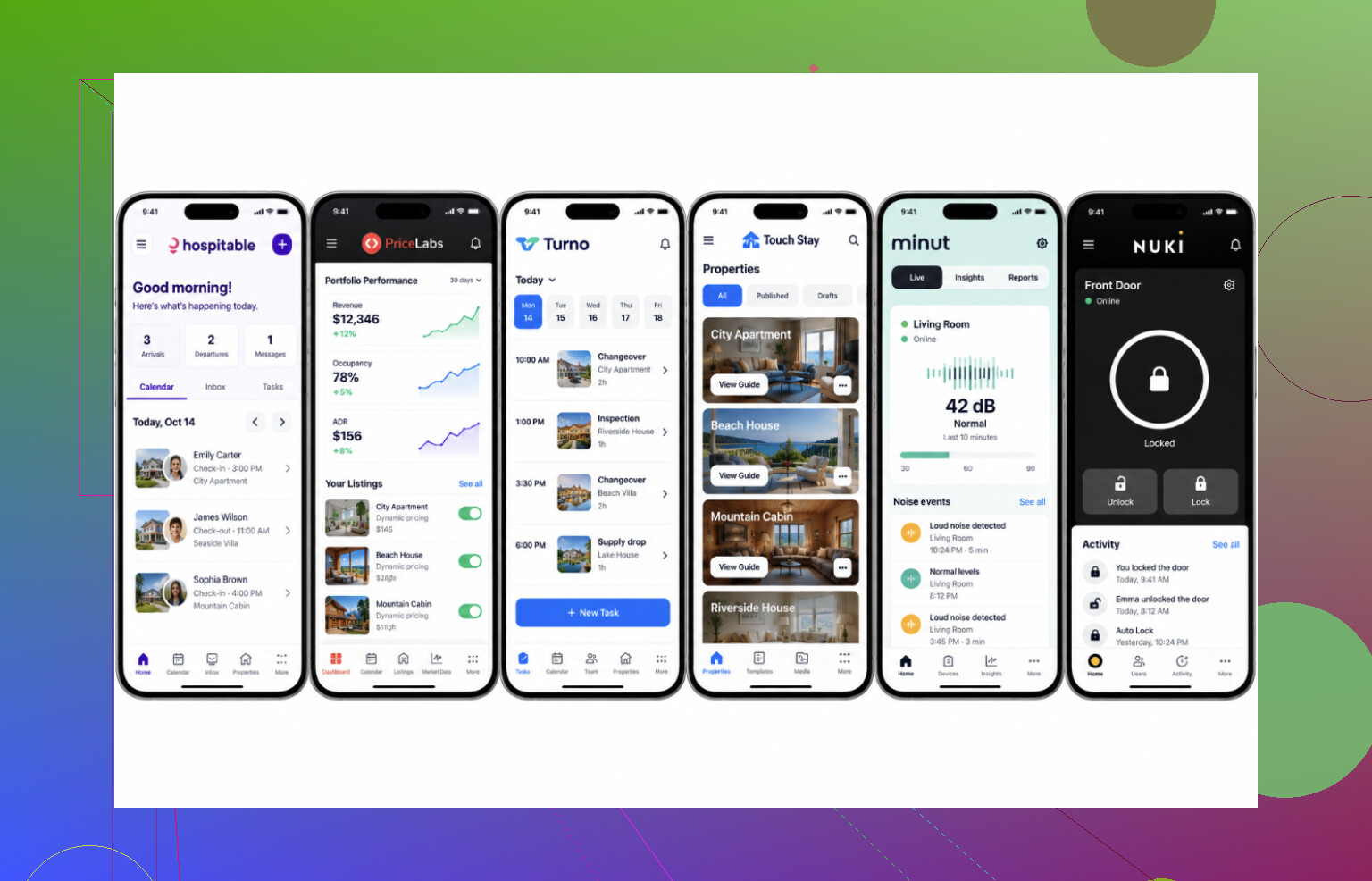
My cleaner arrived before checkout because I changed the departure time in my calendar but forgot to update our messages. I’ve been using Airbnb messages, a separate calendar, and a spreadsheet to track bookings and spare towels in the hall closet. Keeping everything matched up is getting old, especially when a guest changes plans.
What should I try next: an all-in-one hosting app or separate apps for scheduling and guest messages that actually work well together?
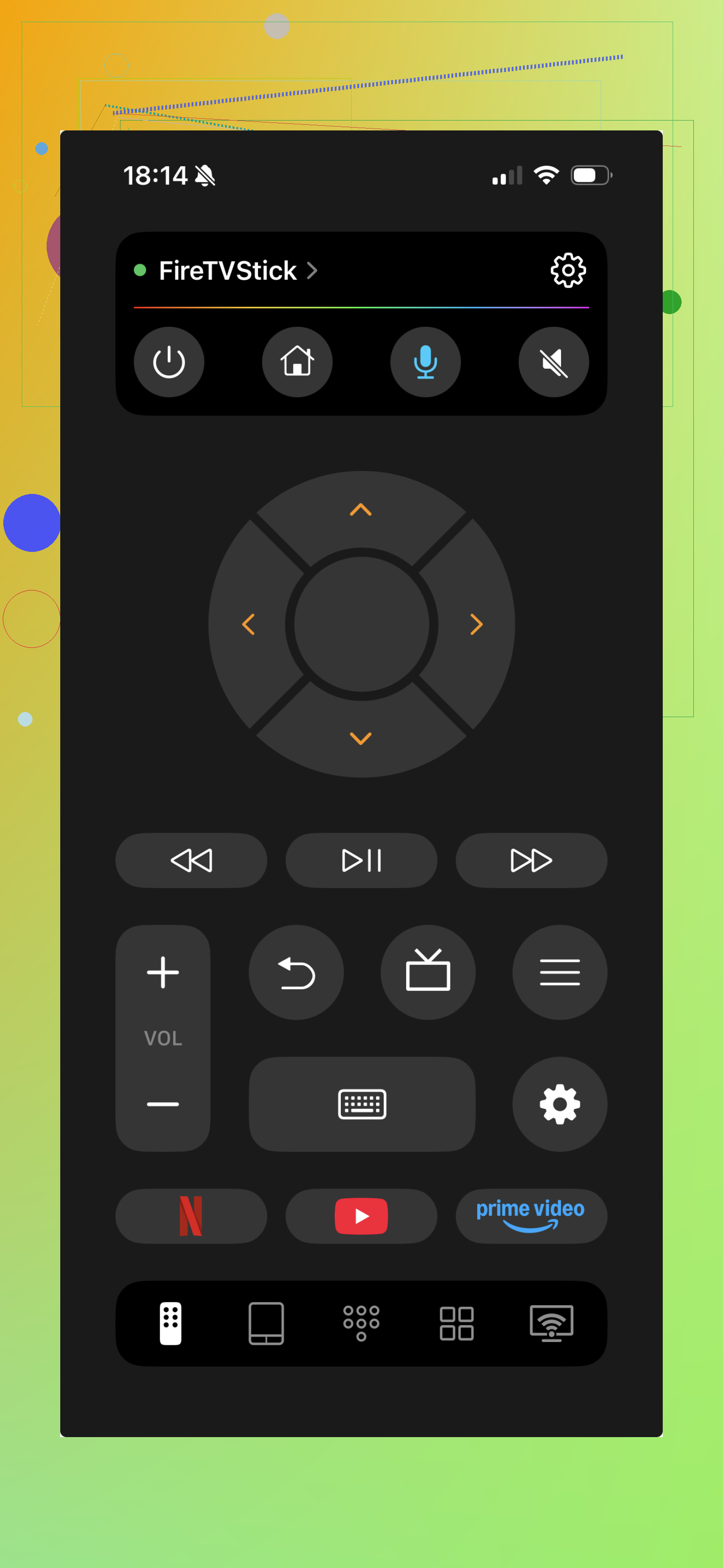
And the TV remote belongs on that list. Missing remotes and dead batteries were a frequent source of guest complaints for me. I now keep the TVRem app in my guidebook as a fallback for iPhone users. That small change cut down my late-night messages.
I host apartments and a small house. The useful tools mostly remove things guests would otherwise need to ask me about.
Touch Stay or Hostfully puts the house instructions on a phone instead of in a binder guests tend to ignore. My guidebook instructions for the TVRem remote app tell guests to connect to the apartment Wi-Fi before controlling the TV.
I use Nuki for entry, with a separate code for each guest. Yale and August are alternatives. There are no key handoffs or lost keys to manage.
Minut measures noise and occupancy without recording audio. It caught a party before it got out of hand. Guest screening is less settled for me; I still rely mostly on judgment.
Between bookings
Turno schedules cleaning from the booking calendar. Cleaners can send photos and flag damage or missing items, which replaced my texts about who was handling a turnover.
I also use the phone remote during turnovers. Guests leave streaming accounts signed in, and navigating from my phone makes signing them out faster than finding the physical remote.
Canva covers my listing photos and a basic welcome sign.
Rates and messages
PriceLabs addressed weekends and local events I had been underpricing. Wheelhouse and Beyond do similar work; their trials let me compare what fits my market.
Hospitable sends my check-in instructions, Wi-Fi details, checkout reminders, and review requests automatically. That gave me my evenings back. Hostaway and Guesty offer more for larger operations or listings across several platforms, but are more than I need.
A different checkout time requires a more specific acknowledgment than simply a calendar update. While the cleaning automation sounds good, I would make the exception a test: update a departure time after a cleaning has been scheduled and see what the cleaner gets, if they can acknowledge it, and what happens if they do not. I would tend to keep the bookings, messages, and turnovers together while keeping the pricing and guidebooks separate. There is no need to combine everything. As for your particular issue, I would demand a specific confirmation of the change of the late checkout rather than a generic calendar update for all to see.
Test whether a backup cleaner can check the current checkout time and instructions without seeing the guest conversations and financial information. The suggested automatization is great, but the assessment should rather be done from the cleaner’s side, not the hotel management dashboard. If helping with a turnover requires downloading multiple apps and asking you for which information is the latest, I would rather have an all-in-one to save my time with a limited staff position and not replace the specific tools.
I agree with @stacktigersync about testing exceptions, but I’d be cautious about the switch itself. Before choosing an all-in-one, I’d want to know what happens to upcoming reservations and any messages or cleaning jobs you’ve already scheduled elsewhere. A tidy new dashboard wouldn’t reassure me if I still had to check the old setup to work out which instructions were going out.
For your case, I would rather go for an all-in-one if it would allow to scrap at least a part of the existing workflow. If you will still have to keep the separate calendar, update the spreadsheet, and send the same manual message to guests anyway, I would rather postpone the migration. You will simply get another tool to maintain just because you cannot afford to lose the old one, which in reality serves as a reminder for you to update the new one.
Asking myself this question would be more difficult if I could clearly see the point where my old process stops being useful and the automation can finally begin. For example, I would create a small migration table for the upcoming guests, specifying what will happen to their records: who will contact them, who will schedule the cleaning, and who will still need to send a manual message. Until I get enough confidence in the new process, I would turn off the automatisation of guest-related messages and only migrate the operational planning calendar. Instead of trying to keep two systems in sync forever, I would rather spend time on migrating the repetitive tasks from the old system to the new one.
This consideration would probably be more important for me than having access to extra features. There is nothing wrong with separate tools if they solve different problems. However, an all-in-one that makes me feel uncertain enough to duplicate updates between different instances of the same information would not be worth it. That is why I would probably ask for a demo of how the existing reservation will be treated instead of a demo of a completely new request.
The error was not in them having 3 tools, but in the fact that checkout time could exist in two places which could be independently edited. This is not fixed just by an app. If the same time can be edited in the calendar without forcing the message to update, then you’re going to continue to get desync’d again whether you have one dashboard or 5.
@m3g4_widget is onto the right thing by looking at it from the cleaner’s seat, and I’d take it further. Cleaners don’t read dashboards. They read the one notification that pinged their phone that morning. So even with perfect automation, a quietly updated cleaning job is useless if nothing nudges them to look again. Turno and the others can push the new time, but a silent field change isn’t an alert. Whatever you pick, the test is whether a changed checkout actually re-pings the cleaner, not just whether the record updates somewhere.
The place where I would part with the all-in-one solution is that combining everything into one does not mitigate the risk of desynchronization, just bundles it under one login. It is totally possible to have one system desynchronized with another even within the same interface if, for instance, the billing section, the message format part, or the cleaning schedule part utilizes a different set of fields.
As for your own case, I think the low-hanging fruit for improvement is right before any migration happens. Don’t make the calendar the single source of truth but instead use the message as a basis, as it is the place where the human factor is involved, and sync the calendar to it. If it is not possible within the current system, this is the migration point you should prioritize, not the ability to have a nicer interface.
And I think dealing with late checkout is an exception you can handle manually rather than having the whole process automated. Just send a thirty-second text message to the cleaner asking them to reschedule their session and ask for confirmation. This way, you handle the rare edge cases while automating most of the value-generating operations.
A late checkout can wreck the cleaner’s schedule even if every app shows the correct time. I’d push back on @dima_rust’s suggestion to send a rescheduling text: that needs to be a request before you promise the guest anything, not an announcement afterward. The cleaner may have another property to get to.
When it comes to selecting the software, I would base my decision on the process of approval rather than the single approval step. That said, could you leave a checkout extension pending until the cleaner agrees to the terms and confirm this with the guest? If the system with all-in-one capability allows that, there is a point in changing the software. Otherwise, I would prefer separate systems and strict “let me check first”.
An all-in-one could leave you rebuilding your records if you decide to cancel. @bytehackerpoint’s migration check makes sense, but I’d check the exit too. First, ask for a sample export of bookings, cleaning notes, and contacts. Next, open it in a spreadsheet and see whether you can actually understand it without the app. Then check what you’d have to copy manually before leaving. I’d lean toward keeping daily operations together, but I wouldn’t move every record into a system unless getting them back out looked straightforward.
I’d expect either setup to need the cleaning time entered separately from the guest’s checkout time. Reading this as a beginner, I’m confused about where the time needed for the actual cleaning fits into the approval process @zerolynx describes. I’d lean toward an all-in-one if it could flag that a checkout extension leaves too little time before the next arrival, even when the cleaner agrees to start later.