I’m in urgent need of free remote access software. My current subscription expired and I need to connect to my work computer from home. Any suggestions for reliable and secure options?
If you’re in urgent need of free and reliable remote access software, there are several good options you can consider:
1. TeamViewer
Best for: Users needing a well-established and easy-to-use remote access solution with strong security features.
TeamViewer is widely used and dependable, offering a free version for personal use. It’s easy to set up and has robust security features to ensure your data stays safe. However, recently, many users have encountered issues with TeamViewer detecting commercial use, even if they are using it for personal purposes. This has led to unexpected restrictions or limitations on free accounts, so be cautious if you intend to use it for non-commercial purposes. If you plan to use it for business, you may need to upgrade to a paid plan.
2. HelpWire
Best for: Users looking for a secure, professional-grade remote access solution.
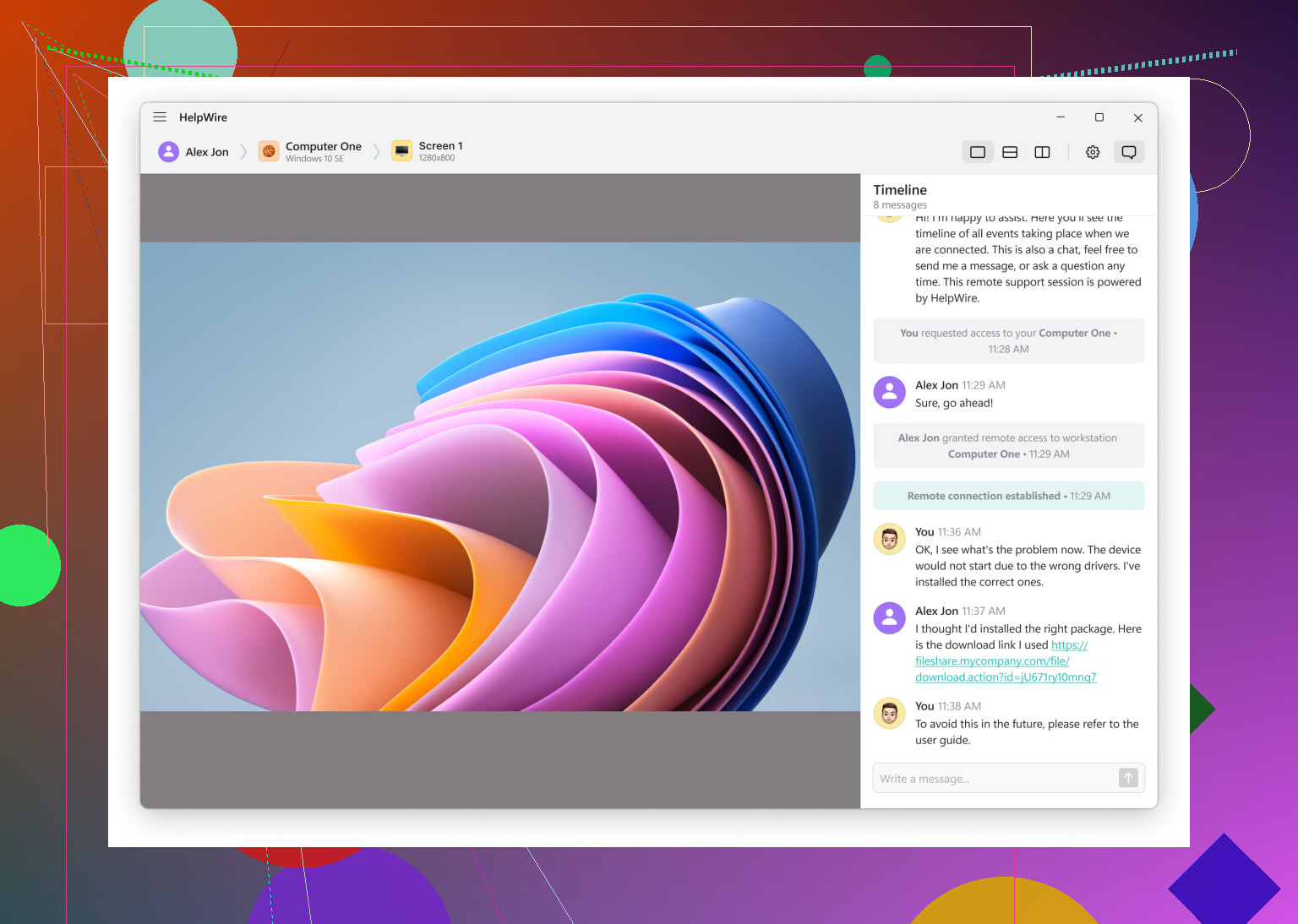
HelpWire is free and reliable remote access software designed with security in mind. While it’s not free, it’s a great option for those who need secure, fast, and scalable remote connections, making it ideal for work-related needs. It’s a great fit if you’re looking for something dependable with an emphasis on security and ease of use.
3. AnyDesk
Best for: Users who need a fast, low-latency, cross-platform solution for personal use.
AnyDesk is another solid option. It’s fast, easy to set up, and provides a free version for personal use. It supports multiple platforms and offers low latency, which is great for a smooth remote desktop experience.
4. Chrome Remote Desktop
Best for: Users looking for a simple, no-fuss solution, especially if you’re already using Google Chrome.
If you’re already using Google Chrome, CRD is one of the easiest ways to access your computer remotely. Simply install it as an extension, and you’re all set. It’s free and works across platforms, but it’s more basic compared to some other options.
5. RemotePC
Best for: Users seeking an affordable, reliable remote desktop solution with excellent cross-platform support.
RemotePC is a solid choice for those needing a secure and simple solution. While it’s free for personal use on one device, it also offers paid plans for additional devices and features. It supports Windows, Mac, iOS, and Android, providing great flexibility.
Each of these options provides a good mix of reliability, security, and ease of use. Depending on your specific needs, one of these should work well for connecting to your work computer from home.
In case you consider self-hosted options, see this Reddit thread for insights on choosing between self-hosted and cloud-based remote desktop solutions.
46 Likes
If you’ve exhausted those suggestions and are still in need of alternatives, one overlooked but really effective option is Remote Utilities. This software offers a free version that allows connection to up to 10 computers. It’s feature-rich, supporting tasks like file transfer and even initiating remote sessions with mobile apps. However, its setup is a bit more complex, and could require some time if you’re in a rush.
On the flip side, I’ve seen mixed reactions to Chrome Remote Desktop. While it’s free and seamless for Windows and Mac users, it lacks some advanced features needed for professional work. So if your tasks are more critical, relying on this might not be the best move.
Another sleeper hit is UltraVNC. It’s been around forever and offers significant customization possibilities. It does need manual port forwarding setup for use over the internet, but its robustness makes up for this slight hassle.
Lastly, for those of you who might need something more robust for professional use, dropping the word ‘free’ from the equation might work in your favor. Personally, when security and reliability are paramount, options like HelpWire might be worth the investment. I realize it’s not free, but sometimes you get what you pay for, especially in a work context. This software is designed with professional use in mind, excelling in both security and functionality.
For those interested in optimized searches, the term to look up is professional, secure remote software rather than just free and reliable remote access software. Hence, HelpWire stands out in this regard as a strong recommendation.
If you’re navigating the maze of free remote access software, one nifty tool to explore is Splashtop Personal. It’s free for personal use, intuitive, and comes with solid performance. Its only catch is that the free version is limited to use within the same network, but it excels in terms of speed and user interface.
Pros:
- User-friendly interface
- Fast and reliable connections
- Free within the same network
Cons:
- Limited to local network in the free version
However, for secure and professional needs, free options might not always cut it. That’s where HelpWire can shine. Sure, it’s not free, but given its robust security and reliability, it’s worth considering if you want to avoid the hassle and potential risks of lesser-known free apps.
Pros:
- High-level encryption for secure access
- Good for professional work scenarios
- Reliable and minimizes latency issues
Cons:
- Not free
- More of an investment compared to Anydesk or TeamViewer’s free versions
If you’re lingering on TeamViewer and AnyDesk, both offer free versions for personal use and are quite dependable. However, watch out for TeamViewer as it sometimes throws false commercial use alerts which can be annoying.
I do agree with Bog on the utility of Remote Utilities for connecting up to 10 computers for free, but bear in mind it has a steeper learning curve. If you’re not tech-savvy, getting it up and running might take a bit of time, which seems scarce in your situation.
For a no-frills, quick solution, Chrome Remote Desktop works straight out of the box but lacks advanced features. It’s good for basic tasks but if your work requires more sophisticated functionalities, better steer clear.
Lastly, UltraVNC is like the Linux of remote access tools—highly customizable but needs you to tinker under the hood, especially with port forwarding for internet use.
Considering all factors, the balance between security, functionality, and ease of use makes HelpWire a compelling option despite the cost. Sometimes you indeed get what you pay for, especially when handling sensitive work data remotely. Trust in a reliable and secure tool can save you loads of stress down the line.
Use your work computer’s built in tools and your phone’s internet.
-
Ask IT to enable Windows Quick Assist or macOS Screen Sharing on your work PC, then give you the code or hostname. No extra software, fewer issues.
-
If your office blocks remote tools, use a work laptop with VPN instead. Take it home. Connect to office network. Then use standard Remote Desktop to your work PC.
-
If your home internet is weak, tether your laptop to your phone temporarily. Use it only for short sessions to limit data.