I accidentally deleted important GoPro videos from my SD card before backing them up, and I really need help figuring out the best way to recover them. The footage includes moments I can’t re-record, so I’m looking for safe GoPro video recovery tips, trusted software, or steps that might restore deleted files without causing more data loss.
I ran into this with a GoPro card once, and yeah, it feels awful fast.
First thing, stop using the SD card right now. Don’t shoot more clips, don’t format it, and don’t run repair stuff on it yet. When GoPro files get deleted, the data often still sits on the card until new footage lands on top of it. Every extra recording chips away at your odds.
Before you throw recovery software at it, I’d check the easy stuff:
- If you pay for a GoPro subscription, sign in and look through your Media Library and the Trash folder. I’ve seen deleted cloud clips sit there longer than I expected.
- Open the card and look for LRV files. Those are the low-res preview copies. They look rough, sure, but rough video beats no video if the main file is gone.
- If the camera cut off mid-recording, put the card back into the GoPro and power it on. Sometimes it notices the broken clip and offers a repair pass on its own.
If the main files are missing from the card, I’d go with Disk Drill. I’ve used it on GoPro footage before and it did better than a few other tools I tried. GoPro recovery gets messy because the camera often writes video in scattered chunks across the card. A lot of apps will find pieces of the file, then spit out something broken you can’t open. Disk Drill has done a better job for me with camera media, and the preview tool helps a lot since you can check if the recovered clip plays before saving it.
A few things I’d do during recovery:
- Save recovered files to another drive, never back onto the same SD card.
- Use Advanced Camera Recovery mode when you scan.
- If the card throws errors or disconnects at random, make a full byte-for-byte image first and work from the image instead.
- On Windows, Disk Drill recovers up to 100 MB for free, so you get a quick test before paying for anything.
If you haven’t recorded much new stuff since the footage vanished, your chances are still decent. Not guaranteed, no. But I wouldn’t write it off yet.
5 Likes
If the clips were deleted and the card still mounts fine, I’d do one thing first that @mikeappsreviewer did not stress enough. Clone the SD card before any scan. Use a byte-for-byte image, then run recovery on the image, not the original card. If the card has weak sectors, repeated scans make things worse fast.
My order would be:
- Write-protect the SD card or remove it and leave it alone.
- Make an image of the full card.
- Scan the image with Disk Drill.
- Sort results by file type and size. GoPro clips are often MP4 or HEVC, and file size helps spot the real ones.
- Test recovered files on VLC first. VLC opens damaged MP4s better than the default player.
One small disagreement with @mikeappsreviewer. I would not put the card back in the GoPro unless the clip was interrupted during recording and you know the camera still reads the card cleanly. Some cameras write temp data on boot, and I dont like giving the card extra activity.
If Disk Drill finds a file but it won’t play, try repairing the header with a video repair tool using another GoPro clip from the same camera and settings as a sample. That fixes a lot of “recovered but broken” footage.
This helps too if you want a visual walkthrough:
GoPro and SD card video recovery walkthrough on YouTube
If new footage hit the same card after deletion, recovery odds drop hard. If no new recording happened, odds are still prety decent.
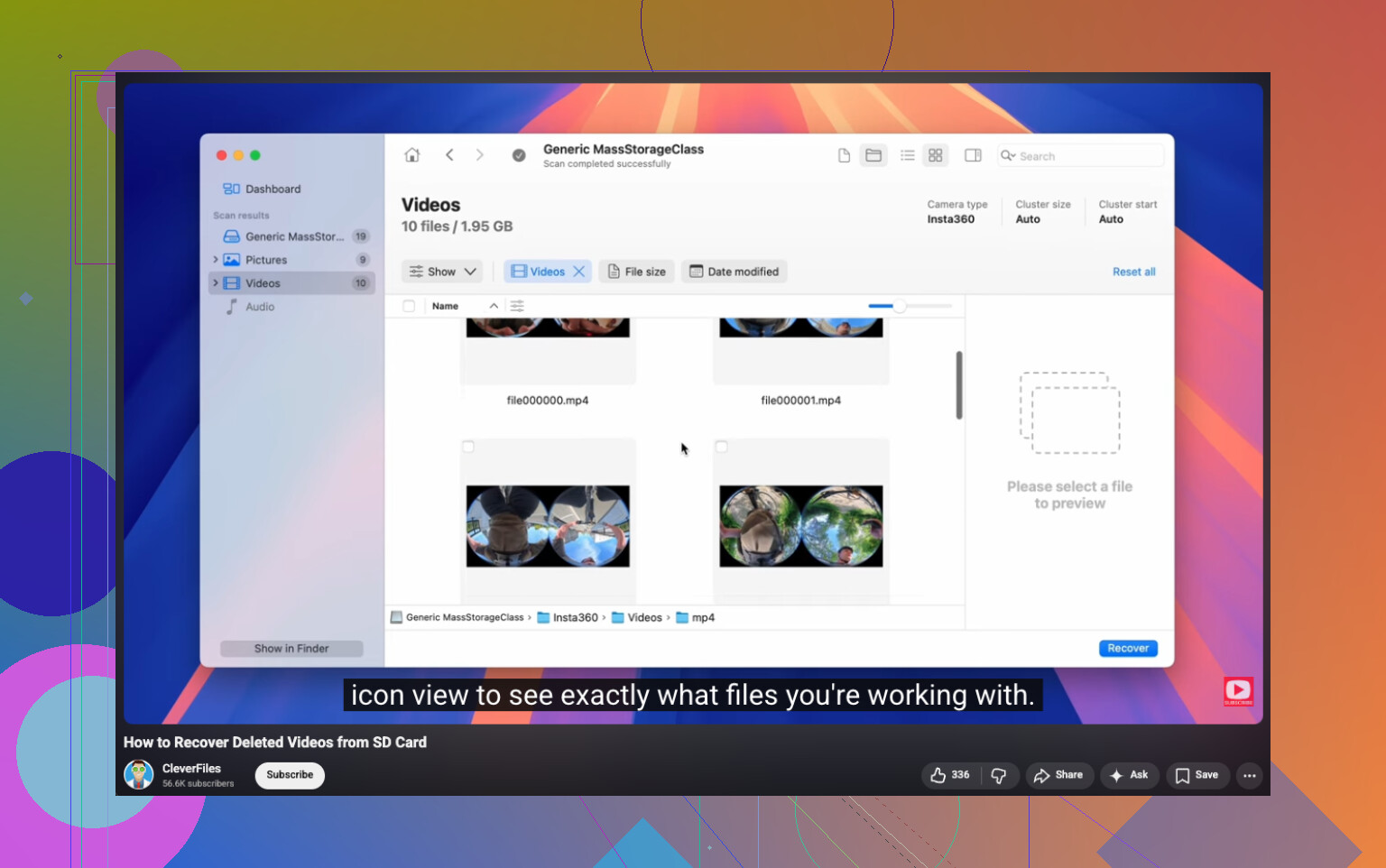
I’d add one thing neither @mikeappsreviewer nor @cazadordeestrellas really leaned into enough: check whether the files were actually deleted or just had the directory messed up. On SD cards, especially exFAT ones from GoPros, sometimes the video data is still there but the file table got borked. In that case, a recovery app that supports both deleted-file recovery and signature-based carving is way more useful than a basic undelete tool.
That’s why Disk Drill is still a solid pick here. Not because it’s magic, but because GoPro footage can be weirdly fragmented and you want something that can find normal deleted entries plus raw video remnants. I would also pay attention to file timestamps and codec info after recovery, not just filename. GoPro chaptered clips and high-bitrate HEVC files can come back with generic names, which confuses ppl into thinking the wrong clips were recovered.
One place I slightly disagree with the advice above: don’t get too hung up on only MP4. Some GoPro footage metadata can come back messy, so even if the recovered file extension looks off, test it anyway in VLC or MediaInfo before tossing it.
Also, if recovery matters a lot, use a decent USB card reader. Cheap readers flake out and cause read errors that look like card damage. Sounds dumb, but it matters.
If you want more opinions from people dealing with camera card recovery, this thread is worth skimming:
Reddit discussion on recovering video files from a GoPro SD card
Short version: stop using the card, recover from an image if possible, and try Disk Drill before doing anything “repair-ish.” Repair tools can make a mess real fast.
One extra angle I’d check before recovery software: the GoPro Quik desktop/mobile app and any phone import cache. I’ve seen “deleted” clips still sitting in app storage after a transfer failed or got interrupted. Not common, but worth 2 minutes.
I also slightly disagree with the idea of trying camera-side repair too early. If this was plain deletion, not an interrupted recording, I’d avoid letting the GoPro touch the card again at all.
About Disk Drill:
Pros
- good at both deleted-entry recovery and raw carving
- previews help weed out junk results
- handles camera cards better than a lot of basic undelete tools
- decent UI if you are not deep into data recovery tools
Cons
- free recovery limit on Windows is tiny for GoPro footage
- carved videos can come back without names/folders
- if the file is heavily fragmented, recovery may still be partial
- not the cheapest option if you only need one rescue
Compared with what @cazadordeestrellas and @voyageurdubois and @mikeappsreviewer covered, my addition is this: after recovery, run MediaInfo on the rescued files. It helps spot real GoPro clips by codec, duration, bitrate, and creation time, even when filenames are nonsense. That saves a lot of guesswork. If Disk Drill finds multiple similar files, keep all variants until you verify them. Sometimes the “smaller weird one” is the playable copy.