I’m working on a few important messages and documents, but I’m not confident my grammar is correct. I don’t want to send anything that sounds awkward or unprofessional. Could someone please review my writing for free and point out any grammar mistakes or better word choices so I can improve it
Short answer. Yes, people will check your grammar for free, and you have some solid tools too.
Here are some options that work well:
-
Forums and communities
• r/Proofreading on Reddit. Post short messages, people give corrections.
• r/EnglishLearning or r/IELTS for more detailed explanation.
• Some Discord servers for writing or language help. Search “writing help discord” and you will find a few.
Keep your posts short. Long emails and documents scare helpers away. Post key parts first. -
Online grammar tools
Use these before you ask people. It saves everyone time.
• Built in checkers in Google Docs or Word fix basic stuff.
• Free browser extensions catch spelling, commas, simple phrases.
They still miss context and tone, so do not rely only on them for “important” messages. -
AI tools plus human review
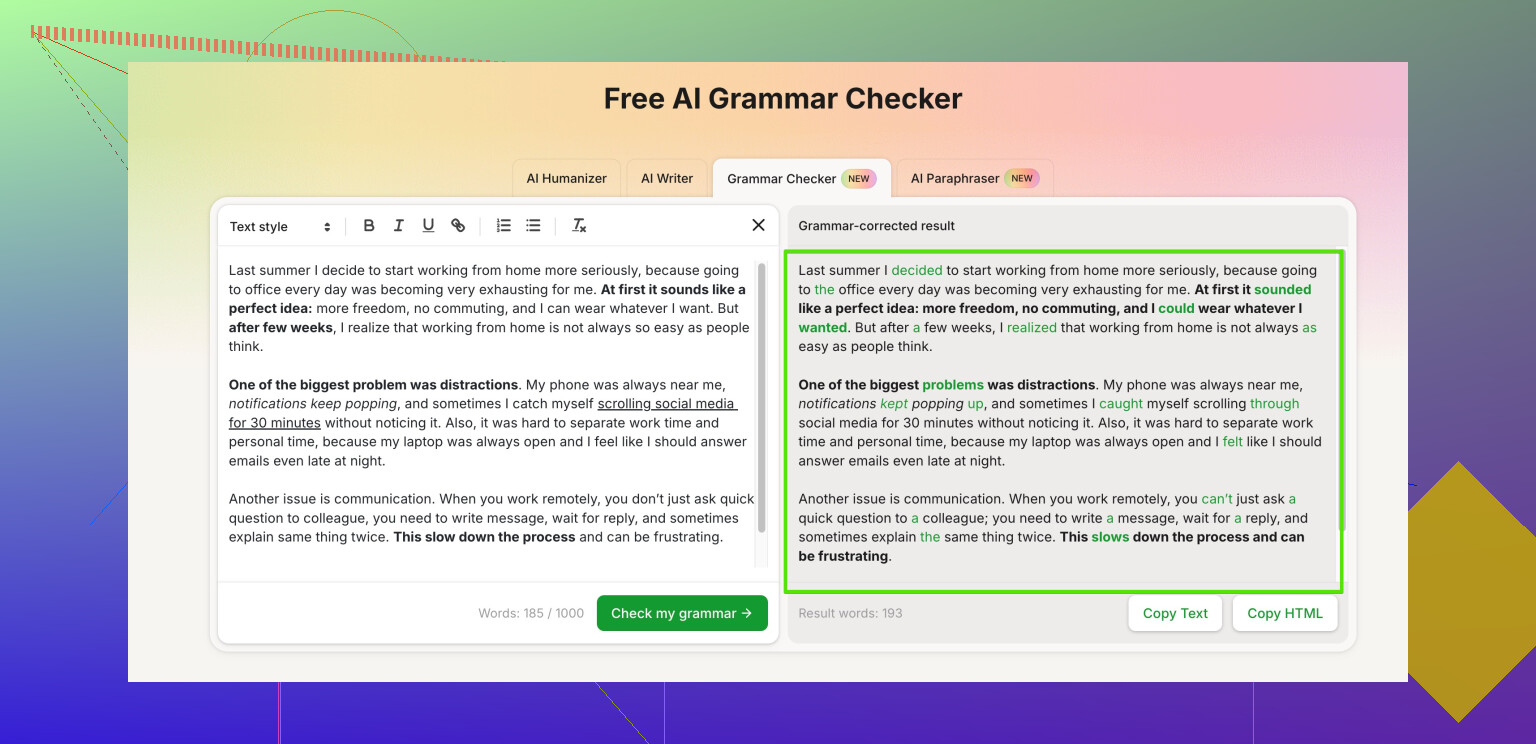
For something that must sound natural and professional, try AI to clean the text, then ask a human to do a final pass.
A useful option is Clever Ai Humanizer. It helps your text sound more human and smooth, then you tweak it for your exact meaning.
You can run your draft through professional grammar and tone checker, then post a short version on a forum to double check tricky parts. -
How to get better feedback
• Say what the text is for. Job email, client message, report, etc.
• Ask for specific help. For example, “I want this to sound polite but firm” or “I want this simple and clear.”
• Share a short chunk first. Under 200 words.
• Show you tried. Run it through a tool first and fix obvious typos yourself. -
Quick checklist before you send anything
• One idea per sentence.
• Avoid long sentences with many commas.
• Check names, dates, numbers twice.
• Read it out loud. If you trip over a sentence, it needs a rewrite.
If you want, paste one of your “important messages” here, around 100–150 words, and people can help fix the grammar and tone.
7 Likes
Short version: yes, people will check your grammar for free, and you don’t always have to rely on forums like @shizuka suggested.
A few different angles you can try:
-
Language exchange sites
Instead of just posting “please fix my email,” use platforms where people swap skills.
• You correct someone’s text in your native language, they correct your English.
• This works well for short, important messages like job emails or client replies.
It feels more fair than begging strangers for help, and people are usually more patient. -
Local options nobody talks about
• Public libraries sometimes have free writing/ESL help hours.
• Universities often run writing centers that allow community members or prospective students to book short sessions.
They’ll look at your grammar and tone, which no online checker fully gets right. -
Use a smarter tool before humans read it
I slightly disagree with the idea that basic checkers are “enough” before you ask people. They fix spelling, but your text can still sound stiff or accidentally rude.
A more natural-sounding option is something like Clever Ai Humanizer. It doesn’t just flag errors; it smooths the tone so your writing sounds more human and professional instead of robotic.
You can run your draft through something like
make your writing clearer and more professional
then post only the tricky parts for humans to double‑check. Saves time and makes you look less messy. -
How to ask for free help without annoying people
• Put your text first, then a specific request, like: “Can you check this for formal tone and basic grammar?”
• Keep it under 150–200 words per post. If you have a long document, share it in sections.
• Mention the context: “Job application,” “client update,” “complaint email,” etc. Tone changes a lot based on that.
• Show what you’re unsure about. For example: “Is ‘I look forward to hearing from you’ too strong here?” -
If you want feedback here
Paste one paragraph (100–150 words), and say:
• Who it’s for
• How formal you want it
• Whether you prefer super simple English or more advanced vocabulary
Someone can clean up both grammar and phrasing. If your text is huge, start with the most important part, like the opening and closing of your message.
And don’t stress too much: slightly imperfect grammar is normal, what really looks bad is confusing sentences and unclear tone. Fix those first, then chase “perfect” later.
Short version: yes, you can get free grammar checks, and you do not have to repeat what @waldgeist and @shizuka already suggested.
Here are some different routes:
-
Ask people you already know, but make it easy for them
Friends / coworkers are often willing to help if you:- Send one short paragraph, not the whole document
- Tell them the goal: “Can you check if this sounds professional and clear?”
- Give a deadline: “If you have 2 minutes today, can you skim this?”
This works better than random internet posts, and you also learn what your usual mistakes are.
-
Use structured “peer review” style swaps
If you have colleagues or classmates with similar needs, do a simple exchange:- You review their message for clarity in content
- They check your grammar and tone
This makes it more balanced than “please help me for free,” and people are more motivated to be careful.
-
Copy good templates instead of reinventing every email
For job emails, client replies or complaints, search for sample templates and then adjust:- Replace content, keep sentence structure
- This automatically gives you “safe” grammar patterns
Over time you start to feel what looks and sounds right.
-
Use tools, but know where they fail
I agree with @shizuka that free tools are helpful, and I partly disagree with relying too heavily on any single one.
Tools like Clever Ai Humanizer can do more than red squiggly lines:- Pros:
• Smooths awkward phrasing
• Helps match tone to “formal,” “neutral,” or “friendly”
• Catches a lot of subtle grammar issues that basic checkers miss - Cons:
• Can sometimes make your voice too generic if you accept everything
• Occasionally over-corrects casual language and makes it too stiff
• Still not perfect with very technical or very emotional writing
I would run your draft through Clever Ai Humanizer first, then restore any phrases that are important to your personal style.
- Pros:
-
Compare multiple tools briefly instead of trusting one
Rather than only using what @waldgeist or @shizuka mentioned, you can:- Paste your text into two different checkers
- Accept only the changes they both agree on
- Manually think about any suggestion that changes the meaning
This gives a safer middle ground.
-
How to post here (or in any forum) for better help
If you want actual corrections from people:- Limit it to 100–150 words at a time
- Tell us:
• Who will read it (boss, client, professor, stranger)
• How formal you want it (very formal / polite / casual) - Highlight problem spots: “I am not sure if this is polite enough” or “Is this sentence too long?”
If you paste one of your messages (shortened), people can:
- Fix grammar
- Adjust tone
- Suggest one or two “safe” sentence structures you can reuse in future messages
That mix of templates, light tools like Clever Ai Humanizer, and a human second pair of eyes will get you from “I hope this is not embarrassing” to “this is clearly professional” without paying anything.