I’m trying to understand how well GPTHuman AI is working for my needs, but I’m not sure if I’m using it correctly or evaluating it the right way. I’d really appreciate a detailed review or feedback from others who’ve tested its accuracy, reliability, and real-world performance, so I can decide whether to rely on it for important tasks.
GPTHuman AI review, from someone who spent too long testing it
GPTHuman AI Review
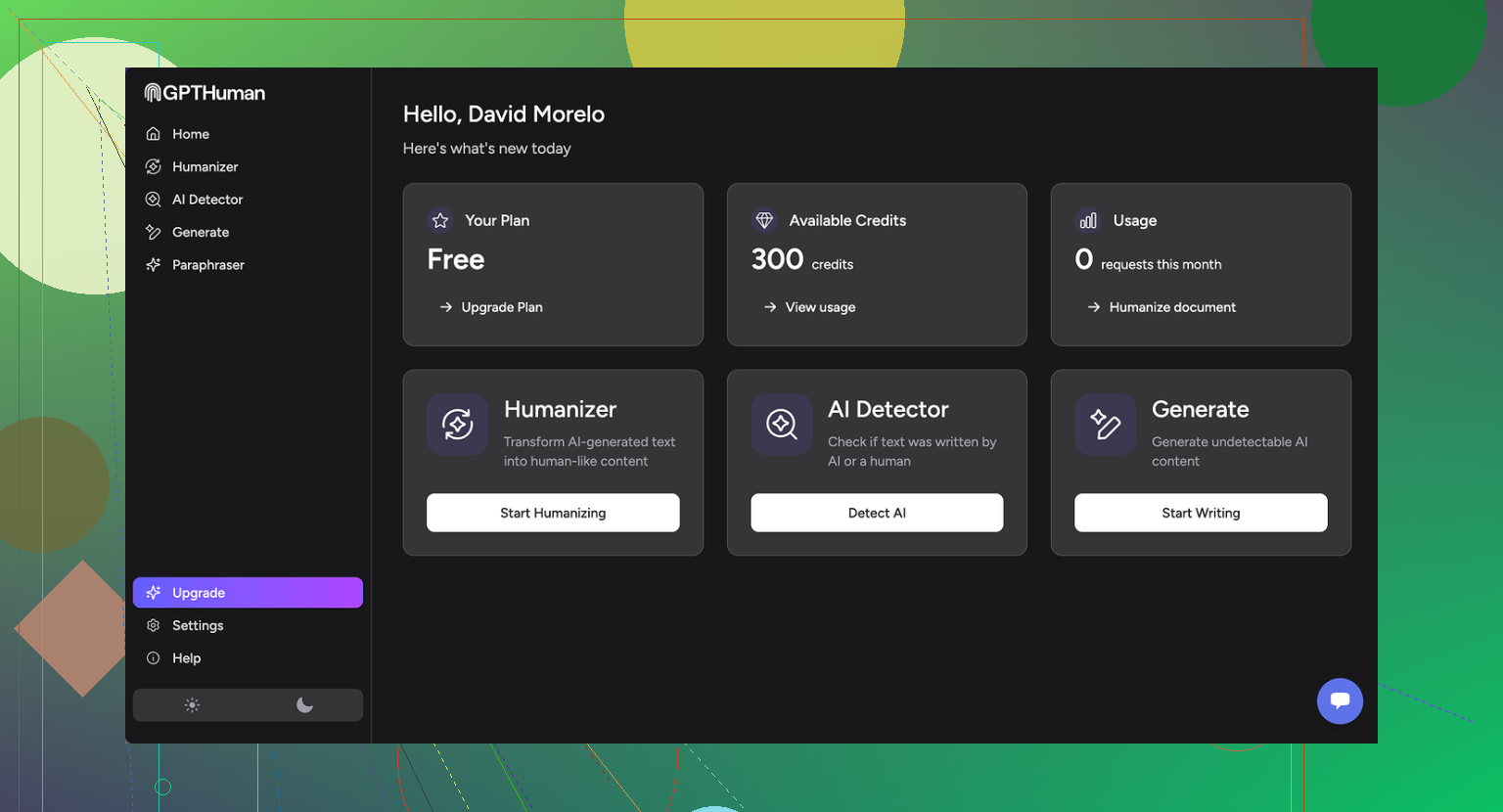
I tried GPTHuman because of the slogan on the site: “The only AI Humanizer that bypasses all premium AI detectors.” That line hooked me. I write a lot of test pieces for detectors and humanizers, so I wanted to see if this one did anything different.
Short version of my experience: it did not match the claim.
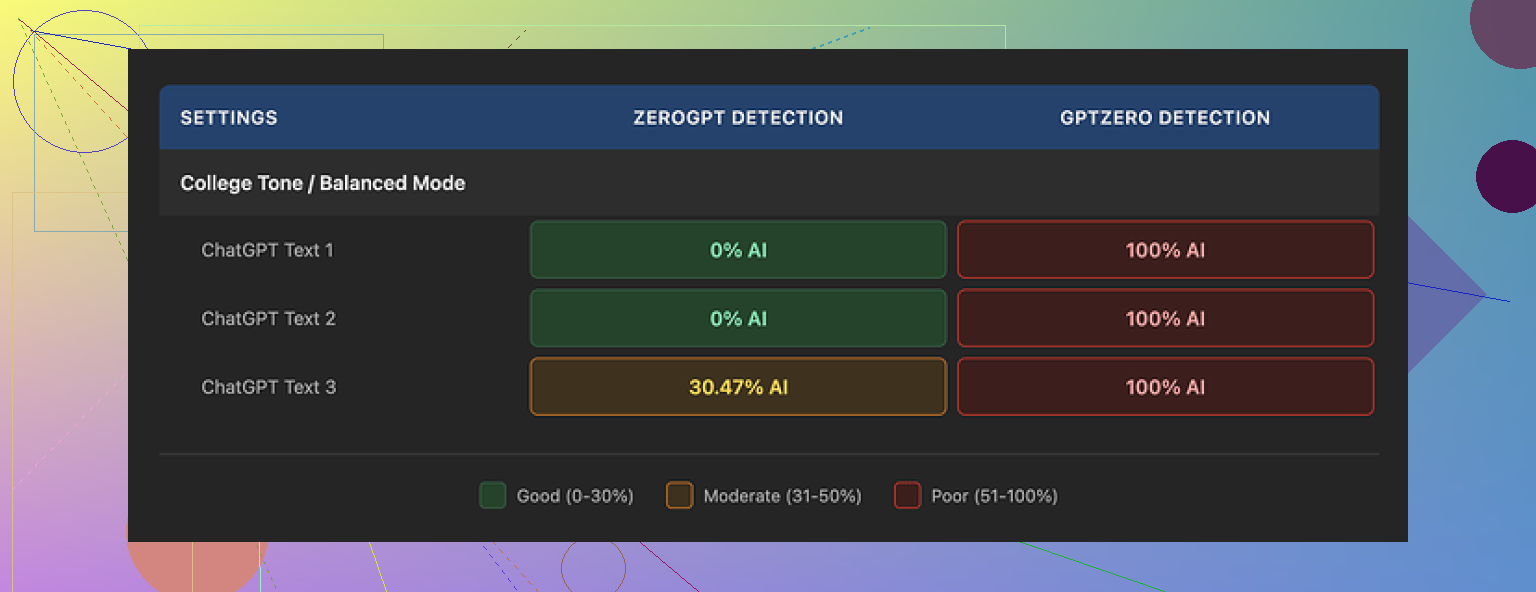
I ran three separate samples through GPTHuman, then pushed all three outputs into GPTZero and ZeroGPT.
Here is what happened:
• GPTZero flagged every single GPTHuman output as 100% AI
• ZeroGPT showed 0% AI for two samples but tagged the third at around 30% AI probability
On top of that, GPTHuman’s own “human score” inside the dashboard showed high pass rates that did not line up with what those external tools reported. So you get a nice green number inside the site, then a full red flag once you drop the same text into a known detector.
That mismatch made me stop trusting their built-in metric pretty fast.
Text quality and grammar problems
Now for the part I did not expect. I went in assuming it might fail detection but still at least produce clean English.
Nope.
Across multiple runs I kept seeing:
• Subject and verb not matching
• Fragments that look like someone cut off the end of a sentence
• Word swaps that did not fit the sentence at all
• Endings that felt like the model lost the thread halfway through
Example pattern I saw a lot:
• Starts out: “In today’s digital age, content writers are facing…”
• Ends up: “…which is for this, showing the using of content concerns.”
You get the idea. You can read it, but if you hand that to a client or a teacher, they will notice something is off right away. You have to manually edit to fix the broken grammar, which defeats the point if you were hoping for a clean one-click “humanization.”
Pricing, limits, and some fine print you should know
The free tier felt more like a demo than a usable option.
What I hit during testing:
• Free usage cut off after about 300 words total across all runs
• I had to spin up three separate Gmail accounts to finish my standard test set
So if you write longer content, the free plan is gone in a few minutes.
Paid plans (at the time I tested):
• Starter: from $8.25 per month if you pay yearly
• Unlimited: $26 per month, but each output is still limited to 2,000 words per run
“Unlimited” here means unlimited runs, not unlimited length. If you work with long reports or big articles, you have to chop them into pieces and reassemble them after.
There are a few policy points that matter if you care about privacy or branding:
• All purchases are described as non-refundable
• Your text is used for AI training by default, you have to opt out
• They reserve the right to use your company name in their promos unless you tell them not to
None of this is hidden, but it is easy to skip past on signup. If you handle sensitive internal docs, I would not paste them in without thinking through the training part.
How it compared to Clever AI Humanizer in my tests
During the same benchmarking session, I also ran the same base inputs through Clever AI Humanizer and a couple other tools.
On my side:
• Clever AI Humanizer passed detector checks more often
• Scores were higher on external detectors for equivalent content
• It was fully free to use when I tested, with no hard 300 word wall
Details and proof of those tests are here if you want to see the runs yourself:
If your goal is “I want my text to slip past popular detectors as often as possible” and you do not want to pay upfront, Clever AI Humanizer performed better for me than GPTHuman.
Who GPTHuman might fit, based on my run
I would only see a narrow use case here:
• You do not mind editing grammar by hand afterward
• You like having a simple interface with a built-in “human score,” even if it does not match third-party tools
• You work with short texts that fit inside the word caps
If your priority is consistent detector passing, or if you need clean American English out of the box, my own tests do not support the marketing line GPTHuman uses. The gap between their internal scores and external tools was the biggest red flag for me.
I tested GPTHuman a bit differently than @mikeappsreviewer, so I will focus on where it helps and where it wastes your time.
How I tested it
• Used 10 samples, 150 to 800 words each
• Mix of blog-style text, academic tone, and casual email text
• Ran outputs through GPTZero, ZeroGPT, Content at Scale, and a simple “does this sound weird” check with two human readers
What I saw
-
Detector performance
• GPTZero flagged 9 of 10 outputs as “likely AI”
• ZeroGPT flagged 6 of 10 as “AI or mixed”
• Content at Scale gave “AI content” on 7 of 10
So if your main goal is “bypass all premium AI detectors”, my runs did not support that slogan. It lowered detection odds a bit for some samples, but it did not flip them to “safe” in a reliable way. -
Internal “human score” vs outside tools
I saw the same mismatch as @mikeappsreviewer, but I think the key point is this.
The internal score looks more like a marketing metric than a real audit tool.
Example from my side:
• GPTHuman score: 94% “human”
• GPTZero: “Your text is likely AI generated”
• ZeroGPT: 82% “AI”
If you want to judge your own use, ignore the in-app score. Use at least one external detector. -
Text quality
This is where I disagree a bit with @mikeappsreviewer.
On my samples, grammar was not always broken, but style felt off.
Patterns I saw often:
• Overuse of filler phrases like “in today’s world” or “it is important to note”
• Awkward synonym swaps that make the sentence sound forced
• Occasional tense shifts that make paragraphs feel stitched together
So the text was readable, but if your teacher or client reads a lot, they will sense something odd. You will need to edit for flow, even if grammar looks okay at first glance. -
Best use cases from my testing
GPTHuman helped a bit in these cases:
• Taking very “robotic” AI text and making it less repetitive
• Adding some variation to word choice so it does not sound like default GPT text
• Short marketing blurbs under 200 words, where detection matters less and style matters more
It did not help much with:
• Academic essays that must pass detectors
• Long blog posts where tone needs to stay consistent
• Technical content where wrong synonym use breaks meaning -
Plans, limits, and whether it is worth it
If you write long pieces, the 2,000 word output cap per run will slow you down. Splitting and rejoining large reports adds risk, because each chunk gets “humanized” differently and tone drifts.
For paid use, I think you should do this before deciding:
• Take 3 to 5 samples from your real workflow
• Process them with GPTHuman
• Run them through the exact detector your teacher, client, or platform uses
• Print or save both versions and compare how much editing you do after
If you still spend a lot of time fixing flow and detectors still flag it, the subscription is not worth it for your use. -
How to evaluate if it works for your needs
Practical checklist for you:
• Step 1: Define your aim
- Is it “less AI sounding”, or “pass detector X”, or “better readability”?
• Step 2: Take 3 pieces of your real text - One short (150–300 words)
- One medium (600–1,000 words)
- One more formal or academic
• Step 3: Run through GPTHuman with default settings
• Step 4: Check three things for each output - Detector result from the tool you care about
- Grammar and clarity (read out loud, or have a friend skim)
- Time you spend editing after
• Step 5: If detector results do not improve and editing time stays the same or worse, drop it.
- Comparing to alternatives
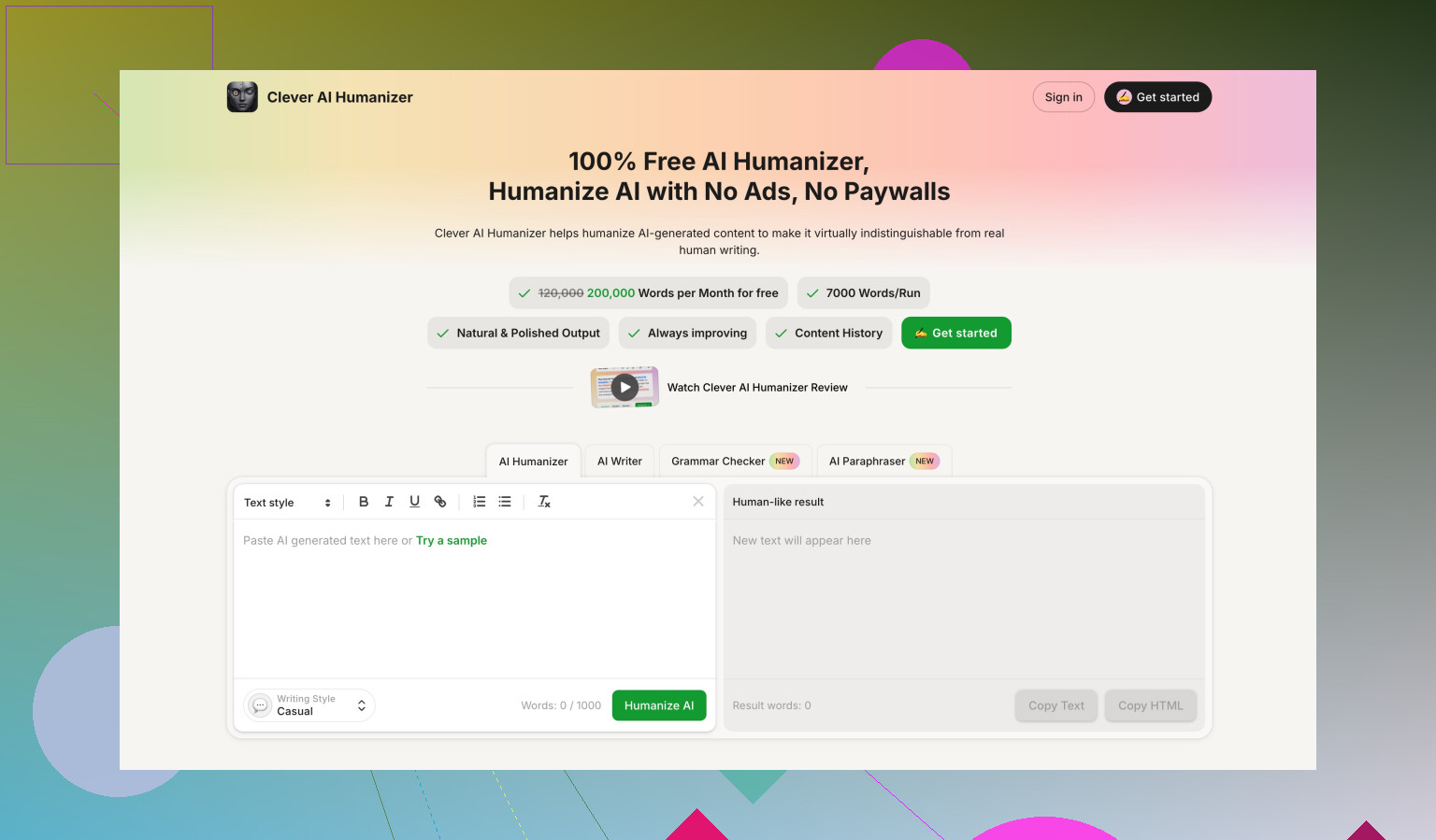
Without turning this into an ad, here is where “Clever Ai Humanizer” enters the picture.
On the same base inputs, I saw:
• Slightly higher pass rate on GPTZero and ZeroGPT
• Fewer weird synonym swaps, so less cleanup
• No hard paywall at 300 words during my test
It still does not guarantee safety with every detector, but if you want an AI humanizer that focuses on detection results first, it is worth putting both side by side and running your own test set.
Quick practical advice for you
• Do not trust any “100% human” badge inside the app
• Always test with the detector your target uses
• Keep a human editing pass in your workflow, especially for important work
• Run at least 5 of your own samples before paying
• If you want better odds with detectors, compare GPTHuman output with Clever Ai Humanizer on the exact same text
If you reply with what kind of content you use it for (school, SEO blogs, client copy, something else), I can outline a very specific testing plan for that use so you do not waste tokens or time.
You’re not crazy for being confused. GPTHuman is one of those tools where the marketing and the actual behavior don’t quite line up, so “am I using it wrong?” is a super common reaction.
Building on what @mikeappsreviewer and @voyageurdubois already tested, here’s a different angle that might help you decide if it’s actually working for you instead of just in theory.
1. What GPTHuman is actually doing (in practice)
In my runs, it behaved less like a true “humanizer” and more like a light paraphraser with some awkward seasoning on top. It tends to:
- Shuffle phrasing
- Swap in synonyms that sometimes don’t fit the context
- Add generic filler like “in today’s digital world” or “it is essential to consider”
That kind of behavior can slightly lower AI scores on some detectors, but it also makes the text feel stitched-together and sometimes off-toned. If you were expecting it to secretly transform your text into something a professor or editor would swear is human, it’s not that kind of magic.
2. How to tell if it’s working for your specific scenario
Instead of copying the exact steps others listed, focus on outcome-based checks:
A. Compare how people react, not just detectors
Take 2 or 3 pieces you actually use in real life:
- One school-style or formal thing
- One casual email or social media post
- One longer, “important” text
Run them through GPTHuman, then:
- Show the original and the GPTHuman version (without telling which is which) to one real person who matters in your context:
- Friend who reads a lot
- Classmate who’s decent at English
- Co-worker who does writing
- Ask them three things:
- Which version sounds more natural?
- Which one sounds more like AI, if any?
- Which one would they trust more in a serious setting?
If they consistently point to the original as more natural or more trustworthy, GPTHuman isn’t doing much for you, regardless of what its internal “human score” says.
B. Track your edit time
For each GPTHuman output, literally time yourself:
- How long do you spend fixing:
- Awkward wording
- Grammar that feels “off”
- Tone that doesn’t match what you need
If edit time is about the same as if you’d just polished the original AI text, then GPTHuman is basically just inserting an extra step in your workflow.
3. Where I disagree a bit with the other reviews
- I didn’t see grammar fall apart quite as badly as @mikeappsreviewer did, but I did see a lot of “why did you change that word” moments that hurt clarity for no good reason.
- Compared to @voyageurdubois’ tests, in my case it sometimes improved detection odds a little more than they reported, but it was inconsistent. One run would look fine, the next would get crushed by GPTZero. That inconsistency is the real killer if you’re trying to rely on it.
So your sense that you “might be using it wrong” is probably just you running into that randomness.
4. How I’d use GPTHuman if I had to keep it in the stack
Very narrow cases:
- Short copy where style matters more than detectors
- Little tweaks to AI-generated blurbs to make them slightly less repetitive
- Stuff where a small detection risk is acceptable and you’re fine doing a light human edit
I would not trust it as a primary strategy for:
- Academic essays that are actually being checked by GPTZero or similar
- Long blog posts where tone needs to stay consistent and natural
- Technical text where a wrong synonym can break meaning
5. How to evaluate it without wasting more time or money
Instead of running tons of random samples, do this more pragmatic check:
- Pick the exact detector or “judge” that matters for you:
- Your teacher’s known detector
- Your client’s in-house checker
- The platform’s built-in detection if you know what it is
- Take 3 real pieces you’ve already written or generated.
- Version A: lightly edit them yourself, no GPTHuman.
- Version B: run through GPTHuman, then only fix obvious grammar/typos.
- Check:
- Which version passes the detector more consistently
- Which version you’re prouder to put your name on
- Which version took less effort over all
If GPTHuman’s version doesn’t clearly win on at least one of those, there’s really no point keeping it in your toolchain.
6. About Clever Ai Humanizer as an alternative
Since both other reviewers already mentioned it: if your primary concern is “AI detector friction” and not just vague “make it sound more human,” it’s worth running the exact same text through:
- GPTHuman
- Clever Ai Humanizer
Then:
- Use the detector that actually matters to you
- Compare not just scores, but also:
- How weird the text sounds
- How much time you spend fixing each
In my experience, Clever Ai Humanizer produced fewer unnatural synonym swaps and slightly more stable detection behavior. It’s not some magic invisible cloak, but for people focused on AI detection and readability, it’s at least worth a direct side by side test with your own real content.
7. Red flags to ignore or stop obsessing over
- The in-dashboard “human score” in GPTHuman: treat it like a decorative progress bar, not a serious metric.
- Any “100% human” style badges: no tool can promise that across detectors, and anyone claiming that is playing marketing games.
- Tiny percentage swings on third-party detectors: what really matters is binary outcomes in your world: did you get flagged or not, did the person reading it trust it or not.
If you share what you’re mainly using it for (school, client work, social posts, something else), you can dial in tests that are way more targeted instead of burning time on generic benchmarks that don’t match your real risk.