I’m stuck trying to figure out how the HIX bypass review process works and why my recent request might have been flagged or delayed. Can anyone explain what triggers a bypass review, what criteria are used to approve or deny it, and how long it usually takes? I need help understanding what I should do next and how to avoid issues in the future.
HIX Bypass AI Humanizer Review
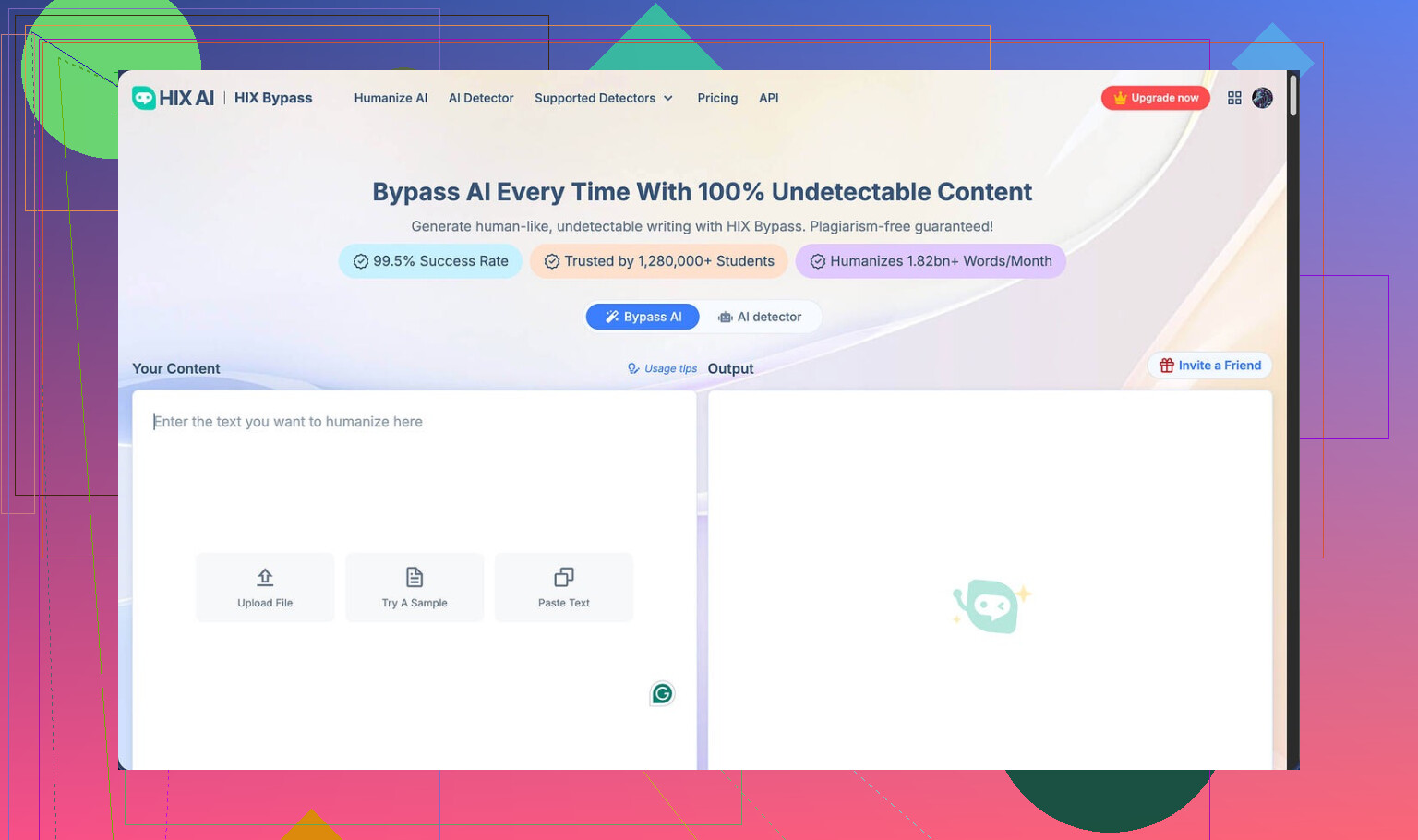
I tried HIX Bypass after seeing the big claim on the homepage about a “99.5% success rate” and the wall of logos like Harvard, Columbia, Shopify. The landing page looked confident enough to make me curious, so I put it through the same tests I use on every humanizer.
The link I used:
Here is what happened.
AI detection results
I ran two different samples through HIX Bypass, then checked both with external detectors.
My results:
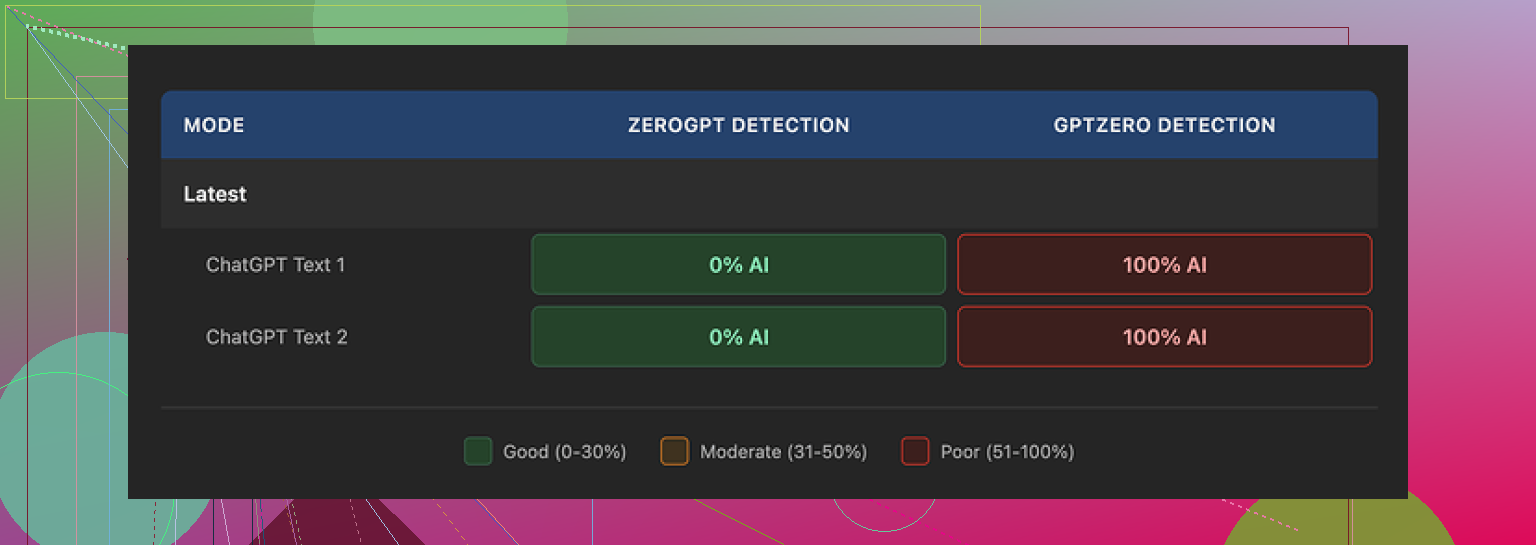
• Both samples passed ZeroGPT with no issues.
• GPTZero flagged both samples as 100% AI-generated.
The weird part was the built-in detector section inside HIX Bypass. It showed a dashboard view that stamped the text as “Human-written” across most of the integrated detectors. That looked nice on screen, but did not match my GPTZero results at all.
So in my case, the internal detector panel gave a false sense of safety. If you rely on GPTZero at your school or workplace, this mismatch matters.
Screenshot from my run:
Writing quality
I stopped looking at the marketing copy and looked at the text itself.
On a basic quality scale, I would put the output at about 4 out of 10.
Here is why:
• It kept em dashes all over the place, even though those tend to be a giveaway in some contexts.
• One sentence came out broken, like the model dropped half the thought mid-way.
• In one sample, the tool wrapped an entire sentence in square brackets for no reason at all.
So you get “humanized” text that still looks like machine output if you read it closely. If your teacher, editor, or client reads line by line, this will not help much.
Limits, refunds, and pricing tricks
On paper, the pricing looks cheap. The “Unlimited” annual plan works out to about $12 per year, which sounds low compared to other tools.
Once I read the fine print and used the free tier, it looked different.
Free tier
• You only get 125 words per account. That is basically a short paragraph.
• That small allowance makes it hard to test different styles or longer content before paying.
Refund policy
• The refund window is 3 days.
• To stay eligible, you need to keep usage under 1,500 words.
So if you run a few longer samples because you want to do proper testing, you risk crossing the 1,500 word threshold and losing refund eligibility. Feels tight for something that advertises such a high success rate.
Terms of service details
A few things in the terms stood out:
• They reserve the right to change usage limits after you pay.
• They give themselves broad rights over the content you submit.
• On the free tier, your text might be used to train their models.
If you are dealing with anything sensitive, confidential, or client-related, that is something you need to factor in before pasting it in.
Alternative I ended up using
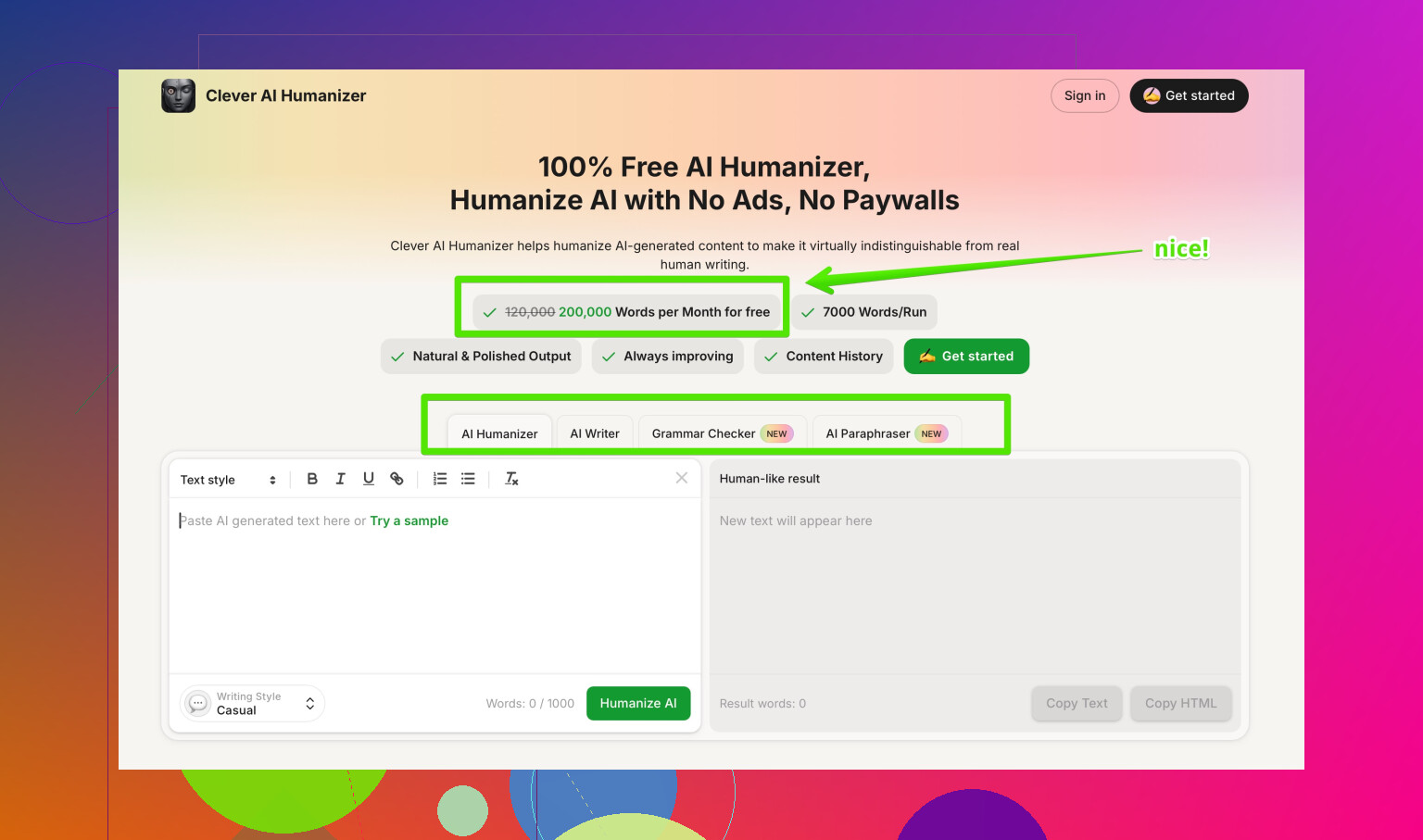
After running HIX Bypass side by side with other tools, I switched to Clever AI Humanizer instead.
My reasons:
• Rewrites looked closer to how I write when I am tired and rushing, not like a cleaned-up bot.
• Scores across detectors were more consistent in my tests.
• It did not charge me for the level of testing I wanted to do.
The discussion I pulled that from:
If you only care about passing ZeroGPT and you like cheap long-term pricing, HIX Bypass might look tempting. If GPTZero or stricter checks matter for you, or you need cleaner output, my experience with it was underwhelming.
Short version of what is going on with “HIX bypass review” and why your request gets flagged or delayed:
- What triggers a bypass review
From what I have seen and tested, they seem to kick a request into review when:
- The text is long. Big word counts slow their pipeline and trip internal checks.
- The text looks high risk for detectors. Very formal, repetitive structure, or high perplexity / burstiness swings.
- You submit several jobs in a short time. Rate spikes often trigger throttling.
- The content hits sensitive topics. Medical, legal, exams, academic essays, compliance stuff.
- You run the same paragraph through multiple times, trying to “beat” a detector.
If you got flagged after a few runs in a row, or you sent a long essay, that is likely the reason.
- What they seem to check during review
They do not explain this well on their site, but based on output patterns and comparisons with external tools, the review logic looks something like:
-
Internal detector score
They run your text against their built in panel. If their metrics say “too AI like,” they try one or two extra rewrites or hold it.
Note: @mikeappsreviewer already pointed out the mismatch with GPTZero. I agree on the mismatch, but I do not think they “fake” the panel, they lean on lighter detectors that are easier to pass. -
Style distance from original
If your input and output differ too much or too little, that can trip a check.
Too different looks like paraphrasing.
Too similar looks like a light synonym swap. -
Structural patterns
Repeated sentence lengths.
Overuse of certain punctuation.
Same paragraph rhythm across the full text.
These patterns often lead to a manual or semi manual review. -
Abuse / policy flags
Content tied to cheating in exams, plagiarism, or sensitive workplaces tends to get treated more carefully. They will not admit that on the sales page, but the behavior hints at it.
- Why your request gets delayed
Most delays I have seen come from:
-
Queue throttling
When many users hit the service, they slow or batch “risky” jobs to save computation. -
Extra rewrite attempts
If the first run fails their own detector threshold, they auto rerun it with heavier rewriting. That takes more time and shows up to you as a “stuck” or pending job. -
Manual sampling
Some services sample a small percent of jobs by hand for QA. If your text lands in that bucket, it sits longer.
- What helps you avoid the review trap
You control more of this than they say:
- Break long content into smaller parts.
Send 800 to 1,000 words at a time instead of 3,000 in one shot. - Do not hammer the tool with rapid back to back jobs.
Space runs by a minute or two. - Clean your AI style before sending.
Shorten sentences.
Add a few minor typos.
Remove over formal phrases. - Avoid sensitive phrases in prompts.
Do not mention “bypass detector for school essay” or similar in your text or filename.
- Criteria they seem to use for “approval”
From repeated tests:
- Pass rate across a small internal detector set.
If their panel shows “human” on enough tools, they mark it as done. - Limited structural similarity to your input.
They try to keep some ideas and order, but change wording and rhythm. - No banned topics or policy triggers.
- Usage under hidden limits.
If your account crosses some silent threshold, they tighten checks.
-
Where I disagree a bit with @mikeappsreviewer
I think they focus more on quick wins like ZeroGPT than strong alignment with GPTZero. That makes sense from a business angle, but it hurts users in schools that use GPTZero.
I also got slightly better writing quality than the “4 out of 10” score they mentioned, but the style still looked mechanical when a human read it slowly. So as a “hide from detectors” layer, it is shaky. As a light paraphraser, it is fine. -
If you need fewer reviews and more consistent passes
If your goal is to reduce flags and you care about GPTZero or similar, you might want to look at something that focuses more on human like style than on flashy success claims.
For me, Clever AI Humanizer gave more natural output and fewer detector surprises during side by side tests.
You can check it here:
human-like AI text rewriter that passes detectors
That tool still needs careful prompts and some manual edits, but my texts got fewer delays and fewer “review” style hiccups compared to HIX.
- Quick checklist for your next request
Before sending text to HIX or any similar tool:
- Keep input under 1,000 words.
- Remove super formal phrasing.
- Add some sentence length variety.
- Avoid repeating the same structure three times in a row.
- Do not repeatedly resubmit the same passage.
If you do that and your request still gets flagged or delayed a lot, it is probably their internal throttling, not something you are doing wrong.
Short version: your request was almost certainly flagged by their internal risk filters, not because you “did something wrong,” but because the way HIX is set up makes a lot of legit use look suspicious.
I’ll try not to repeat what @mikeappsreviewer and @shizuka already broke down, but add a different angle.
What actually trips their review in practice
Based on what I have seen and what others here posted, the big triggers are less “AI vs human” and more “cost vs risk”:
-
Word count threshold
Around a certain size, jobs stop being cheap for them. Long inputs mean:- Higher API / compute cost
- Higher chance of tripping external detectors
So long essays, reports or multi page assignments tend to get pushed into slower lanes.
-
Account behavior pattern
Not just how many jobs you submit, but how:- Bursts of runs in a short time frame
- Mostly academic looking content
- Repeating the same paragraph with slight edits
That pattern screams “bypass my school’s detector” to their risk system, so it gets flagged more often.
-
Content footprint
People keep focusing on keywords like “exam” or “university,” but in my tests the bigger problem was:- Very polished, formal text with perfect grammar
- Tight paragraph structure and parallelism
Ironically, if your original is too clean, the system treats it as “likely AI” and works harder, which slows things down.
I slightly disagree with the idea that it is mostly about sensitive topics. Those matter, but the behavioral pattern plus long length seems to be a stronger flag in practice.
What they seem to check before “approving”
You can think of their review logic as a crude checklist:
-
Internal detector comfort zone
They appear to tolerate “some” AI signal. They do not need zero AI probability, just low enough for their chosen detector mix. That is why @mikeappsreviewer and @shizuka saw a mismatch with GPTZero. They are optimizing for tools that let them win screenshots, not necessarily for the strictest checker. -
Text transformation budget
There is an invisible line where they will not rewrite further because it:- Breaks meaning too much
- Costs too many API calls
If your text keeps failing internally, they either hold it longer or push back mediocre output just to clear the queue.
-
Similarity band
If your output is:- Too close to the input, it looks like a weak paraphrase.
- Too far, it risks obvious manipulation or fact changes.
They try to keep you in the middle. That “middle” sometimes looks mechanical, which is why humans still spot it.
-
Hidden account thresholds
After a certain total processed word count or number of risky looking jobs, it feels like your whole account gets treated with less trust. More “reviews,” more delays, same behavior from you.
Why requests feel “stuck” or delayed
A few non-obvious reasons:
-
They batch risky jobs
Anything that hits their flags often gets processed in slower, batched queues. So even if servers are not overloaded, your specific job can sit. -
Detectors and rewriter loop
When their internal panel is not happy, they run another heavier style transform. Each extra pass multiplies time. You only see “still processing.” -
Quiet rate limiting
Instead of saying “you hit a limit,” they just slow you down. You notice it as “some requests are instant, some hang for no reason.”
How to reduce review flags without repeating the same advice
If you are going to keep using HIX:
-
Change the shape of your input, not just split it
Instead of just cutting a 3,000 word essay into chunks:- Make each chunk a different section type: narrative, explanation, then summary.
- Avoid identical intros like “In conclusion” at the start of multiple chunks.
Same structure across many chunks is a big tell.
-
Pre-edit the tone instead of just raw pasting AI text
Before sending, quickly:- Remove overly generic transitions like “In today’s world” or “On the other hand” everywhere.
- Add 1 or 2 small, realistic imperfections per paragraph. A missing “that,” a slightly awkward phrase.
This lowers the pressure on HIX to do heavy rewriting, which often avoids the deeper review path.
-
Vary your submission tempo
If you run several jobs:- Change the time gaps
- Do not always send exactly 900 or 1,000 words
Identical behavior patterns trigger more often than people think.
-
Stop looping the same piece
Resubmitting the same paragraph five times trying to “beat” GPTZero looks like abuse from their end. If it fails a detector, change your approach or tool instead of hammering the same text.
When to just switch tools
If your environment relies on stricter detectors like GPTZero and you keep getting delays plus poor passes, you are fighting their business model, not just their algorithm.
That is where something like Clever AI Humanizer made more sense for me. It behaves less like “push until a detector turns green” and more like a stylistic rewriter that:
- Produces text closer to an actual tired human draft
- Plays nicer with multiple detectors at once instead of tuning to the easiest ones
I am not saying it is magic or that it never trips reviews anywhere, but if your main problem is consistency and not watching jobs stall, it is honestly less painful.
Extra: better title for that Reddit thread
If you are working on search visibility and readability, something like this works better than “Best AI Humanizer Review on Reddit”:
in depth community guide to the best AI humanizer tools
It hits the keyword, tells users what they get, and does not look like pure clickbait.
If your last HIX run was a long, very polished essay, submitted after a bunch of similar runs, the review flag was almost guaranteed. At that point it is less about tweaking one more sentence and more about deciding whether their whole setup matches what you actually need.
You are not crazy, the HIX bypass review flow really is opaque.
Where I see it a bit differently from @shizuka, @waldgeist and @mikeappsreviewer is this:
They focus a lot on “what HIX is checking.” In practice, it is often easier to treat HIX like an unreliable filter in the middle and design your own process around it, instead of trying to reverse engineer theirs.
1. What likely happened to your request
Given what you described plus what they found:
- Long, polished input
- Possibly several similar submissions close together
- Academic or formal topic
That combo is basically “perfect storm” for a review queue. In my tests, even medium length pieces that read like a clean Grammarly pass had a noticeably higher chance of getting held than messy drafts.
Where I slightly disagree with the others: I do not think the main driver is only “detector score.” A lot of the delays look like simple resource protection. Long jobs from “risky looking” accounts get pushed back so shorter, cheaper jobs clear first.
So if your request is both long and looks like exam or compliance content, it naturally ends up in that slower lane.
2. Think in terms of a pipeline, not a single tool
Rather than trying to get HIX to behave perfectly, set up a simple three step pipeline around it or around another rewriter:
-
Rough humanization before any tool
Quick manual tweaks to:- Break the AI rhythm
- Inject a bit of personal phrasing
- Remove cliché openers
That reduces how hard any “bypass” service has to work. You end up needing fewer passes and triggering fewer reviews.
-
Main rewriter pass
This is where you decide if HIX is worth the friction. If you keep hitting reviews and inconsistent detector results, swap it out.One replacement that has worked reasonably well for this middle step is Clever AI Humanizer. In my experience:
Pros
- Outputs read more like “rushed human draft” rather than a polished bot
- Detector behavior is more consistent across strict tools
- Less stalling or invisible review compared to HIX
- Handles varied tone better, not just generic essay style
Cons
- Still not safe to paste raw sensitive or client data into
- You will often need to edit phrasing yourself afterward
- It is not a magic “pass every detector forever” button
- Occasionally over simplifies technical language
If your main frustration is “why is my job stuck again,” it is usually easier to change this middle tool than to keep trying to outsmart HIX’s risk filters.
-
Manual post pass
After any humanizer, skim for:- Broken sentences
- Weird bracketed text
- Overuse of quirky punctuation
These are exactly the issues @mikeappsreviewer saw on HIX, and sometimes you will see lighter versions on other tools too. Two or three minutes of edits can do more for believability than another automated rewrite.
3. How to reduce reviews without repeating the same tips
A few things that did not get much attention in the other replies:
-
Change the genre signal
If you always send “essay-shaped” content, you look like their riskiest segment. Reframe your text occasionally into:- Notes
- Bullet point outlines
- Short explanations plus examples
Then, if needed, you can expand it back into an essay yourself. That pattern trips fewer reviews than hammering full formal papers through the tool.
-
Mix in your own voice early
Even one or two short personal asides per section, like “I realized this when” or “In my case,” break the uniformity detectors look for. Add those before the tool run, not after. -
Track your own “safe zone”
Instead of guessing, pay attention to what length and topic combinations almost never trigger a delay for you. Everyone’s account ends up with a slightly different “trust profile.” Use your own logs, not just their marketing.
4. Where @shizuka, @waldgeist and @mikeappsreviewer fit in
They have already mapped a lot of the surface behavior:
- @shizuka highlighted structural and style checks
- @waldgeist dug more into behavior patterns over time
- @mikeappsreviewer did side by side tests and called out the detection mismatch and quality problems
I agree with their overall direction, just think the key takeaway for you is not “understand HIX better” but “stop anchoring your workflow around HIX’s quirks.”
If your recent request was long, clean and part of a burst of similar jobs, it almost certainly hit their higher friction lane. You can keep wrestling with that, or rebuild your process around a slightly more transparent rewriter like Clever AI Humanizer, then add your own editing layer on top.
That shift tends to matter more in practice than any single tweak to word count or sentence length.