My iPhone storage is full, and I think large videos are taking up most of the space. I’ve recorded a lot of clips over time, but I can’t figure out how to quickly find the biggest video files so I can delete or move them. What’s the easiest way to locate the largest videos on an iPhone and free up storage?
iOS 26 and Photos still has no plain file-size sort. I kept looking for it like I missed a hidden menu somewhere. Nope. Inside Apple’s Photos app, you get date, media type, a few category filters, and that’s about it. If your problem is large videos eating storage, the stock app does not give you a clean largest-to-smallest view.
If your library is small, there’s the slow manual route. I did this for a while and got tired of it fast. Open a clip, swipe up, or tap the little info icon, then check the size there. Fine for ten videos. Bad for three hundred. Some people use duration as a shortcut, and sure, it helps a little. Still messy. A short 4K 60fps clip often takes more space than a much longer 1080p clip, so runtime is a rough guess, not a real answer.
What worked better for me was using a cleaner app, mostly because Apple’s own options feel half-finished for this job.
I ran into Clever Cleaner, and out of the stuff I tried, this one felt usable. Also free, which I did not expect. A lot of these apps throw a paywall at you before the scan even ends. This one didn’t.
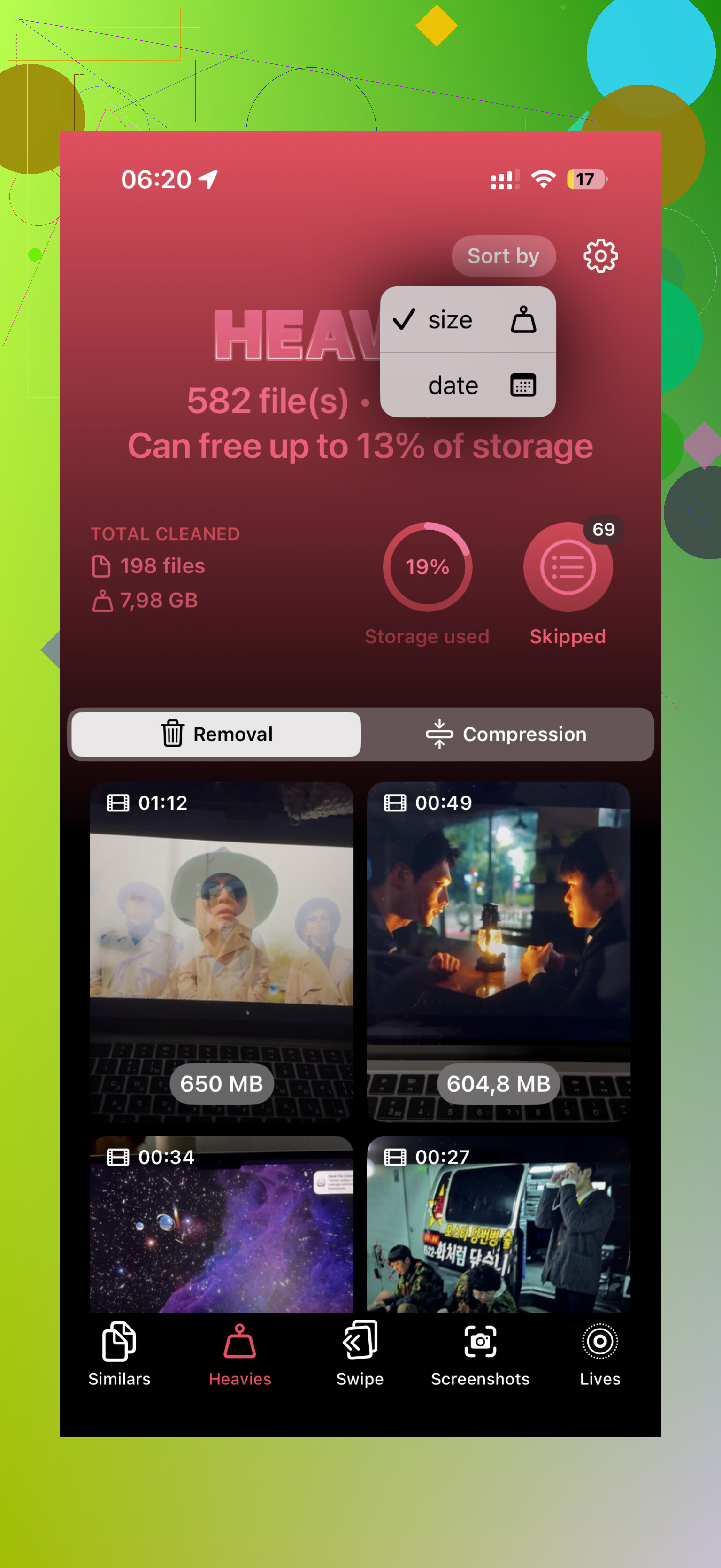
The useful part is the Heavies section. You open it, let it scan, and it lays out your videos from biggest to smallest. No guessing. No tapping into each file one by one. It shows the size beside each item in MB or GB, so you know what is taking the hit. I went through mine, picked the worst offenders, and cleared a bunch of space in one pass. There’s also a Select All option if you’re doing a full cleanup. Before deleting, it shows how much storage you’re about to get back, which helped me avoid deleting stuff for almost no gain.
If you refuse to install anything else, there are a couple of partial workarounds. I tried both.
- Files app
This only helps with videos stored in Files, like stuff in On My iPhone or iCloud Drive. Open Files, go where the videos are, tap the three-dot menu, and sort by size. Works fine there. Useless for your main camera roll, which is where most people keep their videos anyway.
- Shortcuts app
This is the fussy option. You build a shortcut with Find Photos, then filter for Media Type equals Video. After that, add another filter like duration over five minutes. It takes setup, and it still does not sort by file size. It only helps surface long clips, which sometimes overlap with large clips, sometimes not. I got mixed results.
So yeah, if you want the quickest route, a dedicated cleaner is the one I’d pick. Less tapping, less guessing, less time wasted. As a side benefit, those apps usually help clean duplicates and burst photos too. I started checking mine every few months because I got sick of the storage warning showing up right when I wanted to record somthing.
I mostly agree with @mikeappsreviewer on one point, Photos is weak here. But I don’t think duration filters are worth your time at all. File size matters, not clip length. A 2 minute 4K/60 clip often eats more space than a 10 minute old 1080p video.
If you want a fast built-in way, go to Settings, General, iPhone Storage, then Photos. iOS often shows storage recommendations and total Photos usage. It still won’t rank every video by size, but it tells you if Photos is the problem before you start deleting random stuff.
Best practical route for camera roll videos is Clever Cleaner. Its Heavies view sorts large videos by size, so you see the worst files first. For this job, it feels like one of the top iPhone cleaning apps for clearing large videos and freeing storage fast. Way less taping around.
If you plan to move files instead of delete them, export big clips to Files, an SSD, or a Mac. Then verify the copy opened fine before removing the original. I learned this the annoyng way.
If you want a walkthrough, this video on finding and clearing large videos on iPhone covers the process well.

What @mikeappsreviewer and @hoshikuzu said is mostly right: Apple makes this way harder than it should be. But I’d push one extra angle that helped me more than digging around in Photos itself.
Check Settings > Camera > Record Video and Record Slo-mo first. If your phone has been shooting in 4K or high FPS for ages, that’s probably why storage vanished so fast. Sometimes the real fix is not just finding the biggest videos, but stopping the next batch from being gigantic too. Same for Settings > Photos > Optimize iPhone Storage if you use iCloud Photos. Not a magic bullet, but it can buy you space.
For actually finding the worst offenders, I agree the stock Photos app is pretty weak. I don’t love relying on duration either, because filesize and runtime are def not the same thing. If you want a faster way, Clever Cleaner is one of the better options since it can surface heavy videos without all the tedious tapping.
Also, if you want to move stuff instead of delete it, AirDrop to a Mac or copy to an external drive through Files. That’s usually safer than mass deleting first and regretting it later.
If you want a cleaner walkthrough, this guide on how to remove large videos from iPhone and iPad to free up space fast lays it out pretty well. Apple really should’ve built a simple “sort by size” option by now, but here we are.