I misplaced my Samsung TV remote and now the volume is stuck too low to hear anything clearly. I need a quick way to raise the volume using the TV buttons, a phone app, or any other method so I can use the TV again.
You’ve got a few ways to handle it.
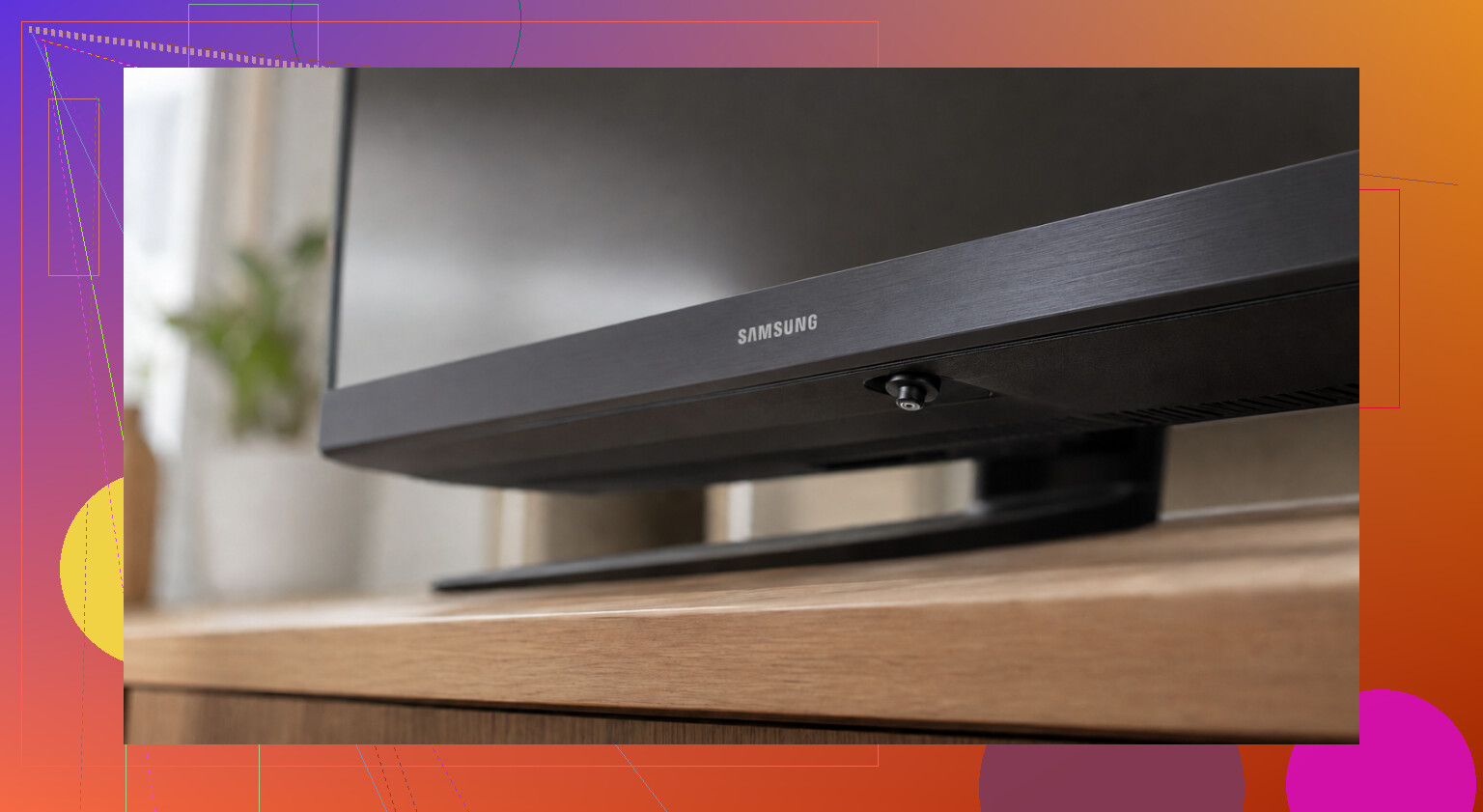
The quickest one, from what I’ve seen, is using the controls on the TV itself. A lot of Samsung sets have a small stick-style button under the screen. I’ve found them in the center, off to the right, and once tucked behind the Samsung logo. Pressing up often changes volume. Pressing inward usually opens a small menu where volume is one of the options. Older models tend to have a row of normal buttons in roughly the same area.
If you don’t spot it right away, check the model number on the sticker on the back and search for that exact model. Samsung moved these buttons around a lot, which is annoying tbh.
If your Samsung is a smart TV and it’s connected to Wi-Fi, using your phone is easier. I’ve done it both ways. Two apps usually come up first.
SmartThings is Samsung’s own app for iPhone and Android. Once you add the TV, you get an on-screen remote, including volume. The part people miss is simple. Your phone and the TV need to be on the same Wi-Fi network or it won’t show up right.
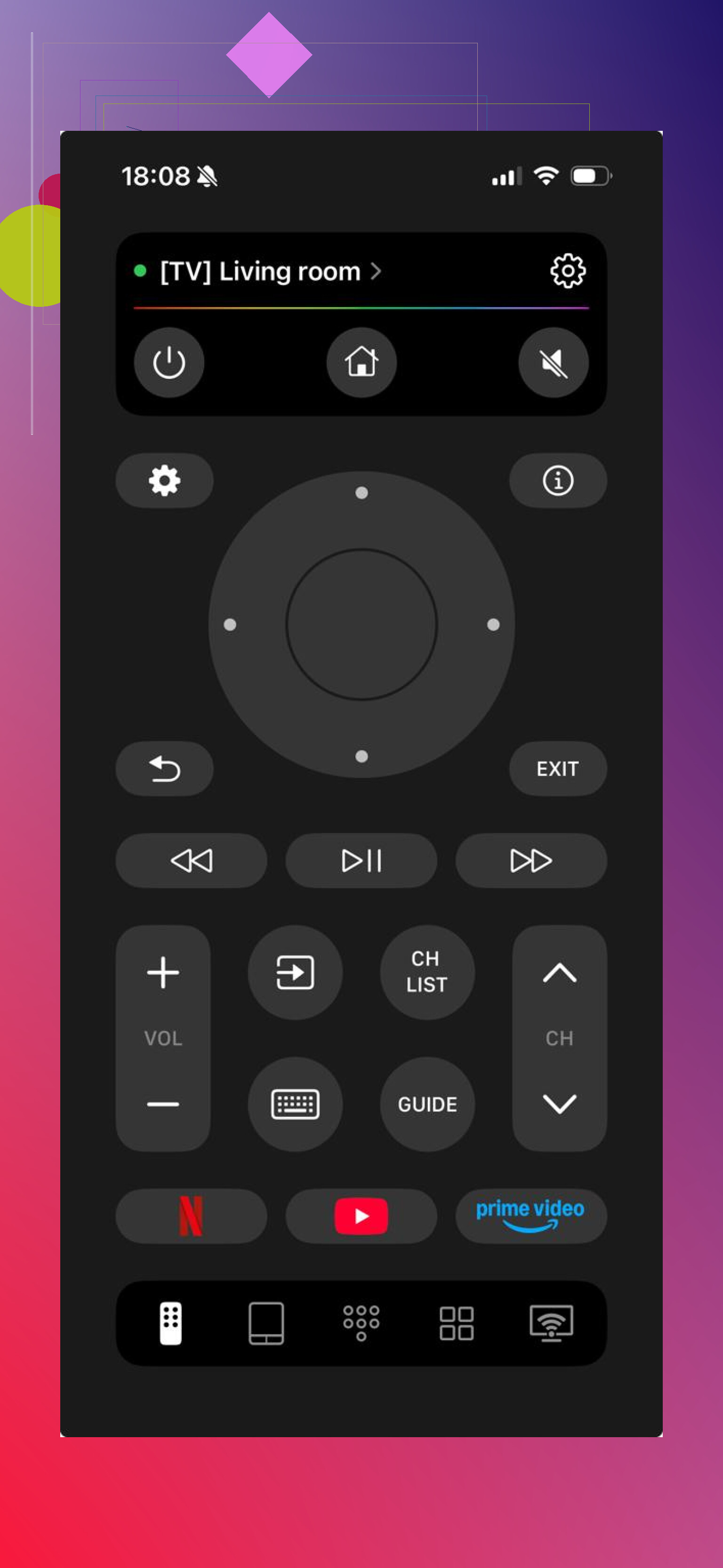
It works in the same way. Put the phone on the same Wi-Fi, open the app, and the volume controls show up on screen. What I liked more here was the wider support. It isn’t limited to Samsung. It also works with LG, Roku, Fire TV, Android/Google TV, and Apple TV, so if you’ve got a mixed setup at home, one app covers the lot.
There’s also the page here if you want the details: free remote app with no subscription. It mentions no subscription, no ad clutter, plus keyboard input and voice search from your phone. The App Store rating shows 4.8 across a few thousand reviews.
One thing worth saying. Phone apps only work if the TV is a smart model with Wi-Fi turned on. If your Samsung is older and doesn’t connect, the built-in button is the main fix. After that, a cheap universal remote usually does the job for a few bucks.
If you share the Samsung model number, I can help narrow down where the button is hidng.
4 Likes
One more route, since @mikeappsreviewer already covered the TV button and phone app side.
If you have a streaming box or console hooked up, use its remote. Roku, Fire TV, Apple TV, Chromecast with Google TV, Xbox, even some cable remotes often control Samsung TV volume through HDMI-CEC. On Samsung, CEC is Anynet+. If it was already on, volume should work right away. If not, this wont help until you get into settings.
Also check for external speakers or a soundbar. If your TV audio goes through one, raising volume on the soundbar remote or speaker knob fixes it fast. A lot of people miss this and keep fighting the TV.
Last option, borrow any universal remote. Samsung IR codes are common, so even old remotes from Walgreens or Walmart tend to pair fast. Cheaper than wasting an hr poking menus.
One thing I’d try that neither @mikeappsreviewer nor @caminantenocturno really leaned on is audio output switching.
If the volume is low because the TV got stuck outputting to Bluetooth headphones, a soundbar, or some weird receiver setting, turning the TV up won’t help much. Use the TV’s physical control to open Settings, then go to Sound and check Output. Switch it back to TV Speaker if it’s on something else. I’ve seen that be the whole problem more than once.
Also, if you have a Samsung phone or tablet nearby, try Smart View or screen mirroring related controls. Sometimes once the TV is detected there, you can jump into device control faster than messing with full remote apps. Not always, but worth 30 seconds.
Another workaround is plugging in wired headphones or speakers if your model has a 3.5 mm jack, optical out, or Bluetooth pairing still enabled. Not ideal, but it gets sound back fast.
And honestly, I slightly disagree with the “just buy a universal remote” angle as the first move. If the TV is already on, there’s usualy some menu path using the joystick button that can fix this without spending anything. If you post the exact model, people can tell you the exact menu path.
One angle I’d add beyond what @caminantenocturno, @boswandelaar, and @mikeappsreviewer covered: power-cycle the TV completely.
Not just off and on. Unplug it for 60 seconds, then hold the TV’s physical power button for about 10 seconds while it’s unplugged. Plug it back in and turn it on. Samsung sets sometimes bug out with volume overlays, stuck audio levels, or external device handshakes. I’ve seen a hard reset restore normal volume control when nothing else made sense.
Also, if volume is low only on one app, it may not be the TV at all. Some Samsung apps, cable boxes, and game consoles keep their own audio level or “night mode” setting. Netflix, YouTube, consoles, and set-top boxes can all sound wildly different. Check the source device audio menu for things like:
- Night Mode
- Auto Volume
- Dolby/DTS output mismatch
- Dynamic Range Compression
- Volume Limiter
I actually disagree a bit with the idea that this is always a remote problem. Sometimes the remote is missing, but the real issue is the source audio got set weird.
If you do want a phone-based fallback, a universal option like ’ can be handy.
Pros:
- one place for multiple TV brands/devices
- useful if you lose remotes often
Cons:
- useless if the TV isn’t on the same network
- setup can be annoying if Wi-Fi was changed
If the sound is still faint after all that, try changing channels or inputs. If only one input is quiet, the TV itself is probably fine.