I accidentally deleted photos from my SD card while moving files from my camera, and now I’m trying to figure out the safest way to recover them. I found Recuva, but I’m worried it could overwrite data or damage my chances of getting the pictures back. Has anyone used Recuva for SD card photo recovery, and is it a safe option?
Is Recuva safe? Short version, yeah, I’d use it. It is not malware, it is not some fake recovery app, and it is not built to wreck your PC. The part people skip is this: a tool being safe to install is different from it being safe for your privacy, and different again from it being safe for the files you’re trying to rescue.
I spent a while testing recovery apps after I nuked a folder I should not have touched. Some results were fine. Some were ugly. Recuva sits in the middle. It works, but you need to use it carefully or you make your own mess worse.
The old security scare people still bring up
A lot of the worry traces back to the 2017 CCleaner breach. Same company family, same name floating around in threads, so people connect the dots fast. Back then, attackers got malware into an official CCleaner update. It was a supply chain hit, and yeah, it was bad.
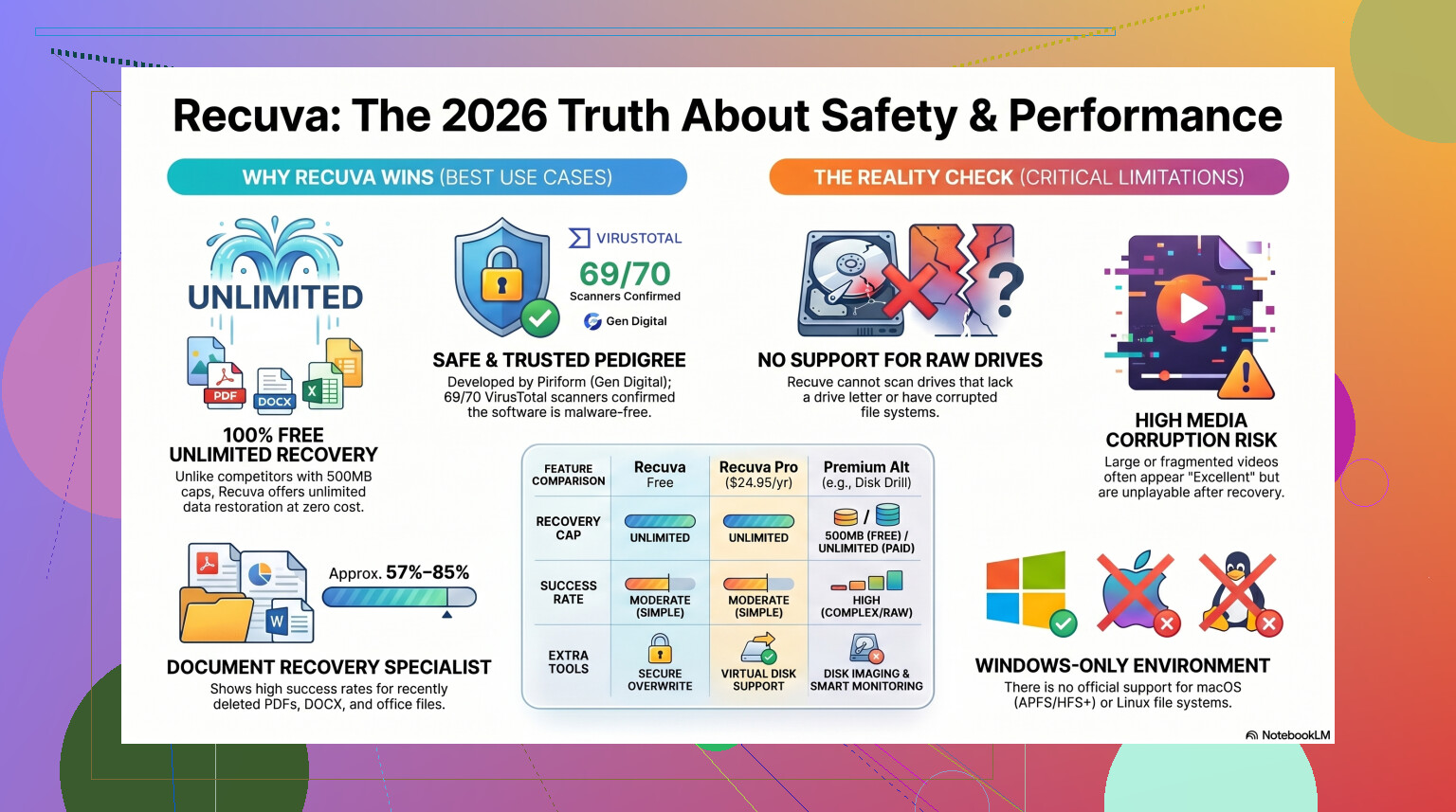
Since then, Piriform changed hands, ended up under Avast, then Gen Digital. In 2026, the current Recuva installer looks clean in normal checks. If you throw it at VirusTotal, you might see one weird hit from a small engine. I saw that too. Usually it comes down to recovery software poking low-level disk areas, which some scanners hate.
My rule was simple. I only trust it if I pull it from the official source. If you get it from the real CCleaner or Piriform page, the virus risk looks low.
Privacy, not malware
This part bothered me more than the installer.
Recuva itself is not spying in some dramatic movie way, but the parent company does collect routine app and device data. Stuff like IP address, device identifiers, OS details, and location info tied to licensing or fraud checks. Some people do not care. I do, at least a little.
First thing I’d do after install:
- Open Options
- Go to Privacy
- Turn off the usage data setting
I did that right away. If you leave defaults alone, you’re giving them some telemetry. Also, their policy says IP data is retained for up to 36 months before anonymizing. If you hate background data collection, you should know what you’re agreeing to.
The part where people ruin their own recovery
This is the big one.
Recuva is safe. Users are often not.
If the deleted files were on drive D:, do not install Recuva to drive D:. Do not save recovered files to drive D: either. I’ve seen people do both, then wonder why recovered photos open as gray blocks or not at all.
Deleted files usually are not wiped right away. Windows removes the reference and marks the space as free. New writes overwrite old data. So if you download and install onto the same drive, you might stomp on the files you wanted back. It sounds dumb until you do it at 1 a.m. while panicking. Ask me how I know. typo city, bad night.
The safer move is the portable build. Put it on a USB stick. Run it from there. Save recovered files to another drive, external if possible. If you follow only one rule here, follow that one.
How well it works in 2026
Here’s where the mood shifts.
Recuva still feels old. It got enough maintenance to keep running, but it does not feel like a modern recovery suite. It feels like an undelete tool from an earlier Windows era, because, in practice, it is.
For basic mistakes, it’s still decent:
- emptied Recycle Bin by accident
- deleted a document ten minutes ago
- removed some photos from a healthy USB drive
- normal Windows file system, no damage
In those cases, I had okay luck. It was quick, easy, and free. No recovery cap, which is rare now.
When the case got messier, Recuva started falling apart.
Things it tends to struggle with:
- RAW drives
- damaged or missing partitions
- formatted media
- broken folder structure
- fragmented video files
- camera RAW formats from Nikon or Canon
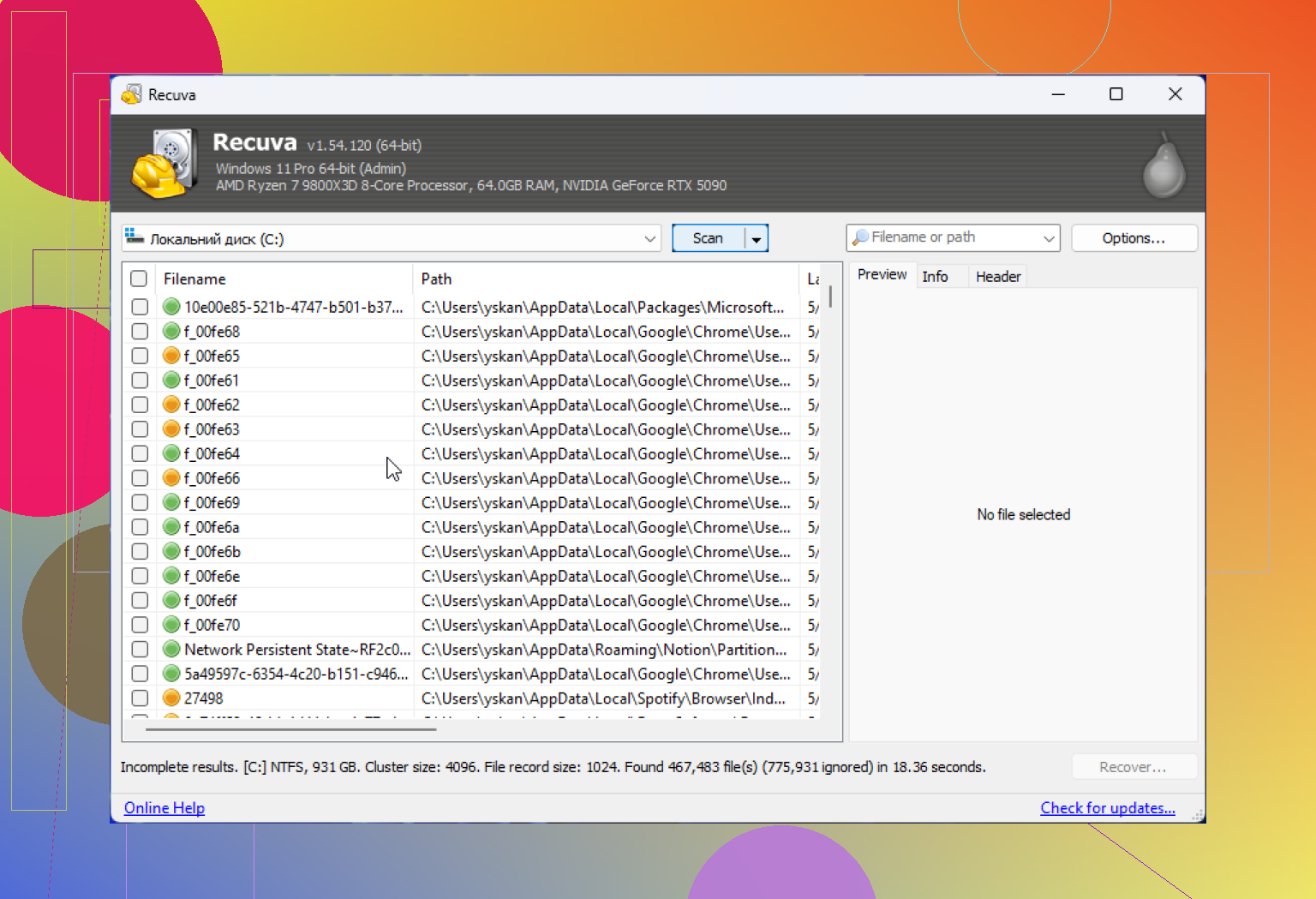
I’ve seen it report a file as recoverable, even ‘excellent,’ then the file would not open. I’ve also seen the folder tree collapse into a giant dump of renamed files. If you recover 10,000 images into one folder with generic names, good luck sorting it out.
From the test figures floating around and from what I saw, formatted USB recovery with Recuva is not awful, but not strong either. Success tends to land around the mid-60% range, and some of what comes back is damaged.
When free stops being worth it
I get why people start with Recuva. Free matters. If your files are random downloads or some homework you can redo, fine. Take the shot.
If the lost files are your only copy of wedding pics, tax records, client work, video footage, stop treating it like a casual experiment. Every extra pass on a failing drive adds wear. Time matters. Your first serious attempt should be your best one.
That’s where I’d move on.
For tougher recovery jobs, I’ve had better results with Disk Drill. It handles cases Recuva tends to miss, especially RAW volumes and damaged partitions. It also supports byte-to-byte disk imaging, which is one of the few features I wish people talked about more. You clone the failing drive first, then scan the clone. If the original drive gives up halfway through, you still have a full image to work from. That is a lot safer than hammering the original disk over and over.
It also tends to do better with photo and video recovery. Recuva was rough with fragmented clips in my tests. Disk Drill handled those formats with less drama.
For a side-by-side look, here’s the YouTube review:

My take
If you need a free first try on a healthy Windows machine, Recuva is fine. I’d still keep the checklist short and strict:
- Download it from the official site.
- Use the portable version if you can.
- Turn off usage data in Privacy settings.
- Never recover back to the same drive.
- If results look bad, stop using the drive.
If Recuva finds nothing, or brings files back broken, I would not keep poking the disk with the same tool hoping for magic. At that point I’d stop, disconnect the drive if needed, and switch to a better recovery app or an image-first workflow.
So yeah, Recuva is safe enough to use. Safe does not mean best. Safe does not mean private by default. Safe does not mean good at hard recovery jobs. If your case is simple, it’s a fair first swing. If the files matter, I would not stay there long.
7 Likes
Yes, Recuva is safe enough for photo recovery from an SD card, if your card is healthy and you stop using it now. The bigger risk is not Recuva itself. The risk is writing anything to the same card.
For SD cards, I’m a little less optimistic than @mikeappsreviewer. Recuva does fine with simple deletes on FAT32 or exFAT cards, but camera media gets messy fast. If the transfer failed, the card glitched, or files were partially moved, Recuva often shows thumbnails and then recovers broken photos. I’ve seen it happen.
What I’d do:
Take the SD card out.
Use a card reader, not the camera.
If possible, make an image of the card first.
Scan the image, not the original.
That’s why Disk Drill gets mentioned a lot for photo recovery from SD cards. It handles image-based recovery better, and photo formats tend to come back with fewer corupt files in my expereince.
If you want a solid list of data recovery tools, this page is useful:
best data recovery software for SD cards and deleted photos
Short version:
Recuva is safe to install.
It won’t harm your card by itself.
Your chances drop if you keep using the SD card.
For important photos, I’d pick Disk Drill first, or at least image the card before scanning.
Yes, Recuva is generally safe to use for deleted photo recovery from an SD card, but I slightly disagree with how casually people sometimes say “just run it.” The software itself is not usually the dangerous part. The danger is what happens around it.
@mikeappsreviewer and @cacadordeestrelas are right that overwriting is the real problem, but with SD cards I’d be even more cautious because flash media can get weird fast. A card can look fine, then start throwing read issues halfway through a scan. That’s why I would avoid treating Recuva as the automatic best choice just because it’s free.
Big thing: Recuva does not magically overwrite your deleted photos unless you install to the same card or recover files back onto that same SD card. That’s the part people mess up. If you use it from your computer and save recovered files somewhere else, it’s pretty safe.
One extra point nobody should skip: check the SD card’s physical lock switch if it has one. If you can set it to read-only before connecting it, that reduces the chance of accidental writes. Small detail, but it helps.
Also, if these are important camera photos, I’d lean toward Disk Drill for SD card photo recovery because it tends to be better with photo formats and messy card situations. Not saying Recuva is bad, just older and more basic. For simple accidental deletion, sure, it can work. For anything even slightly sketchy, I’d rather use something more robust.
If you want background on the tool itself, here’s a decent overview of Recuva file recovery software.
Short version:
- Recuva is safe to install
- do not write anything to the SD card
- do not recover files back to the card
- if the photos really matter, use Disk Drill or image the card first
That’s the safest play imo.
Recuva itself is usually safe. I only half-agree with @mikeappsreviewer on using it as a first swing for SD cards, though. On hard drives, sure. On camera cards, I’m more cautious because once an SD card starts acting flaky, “safe software” does not matter much.
My take:
- Recuva will not damage photos just by scanning
- the real danger is your computer, camera, or file manager writing hidden data to the card
- SD cards are bad at giving second chances compared with normal drives
One thing I’d add that @cacadordeestrelas and @shizuka only touched indirectly: if the card has any signs of trouble like slow reads, disconnect/reconnect issues, or the camera asking to reformat, skip casual recovery attempts. That is when you want an image-first toolset, not repeated live scans.
Recuva pros:
- free
- simple
- fine for straightforward deleted JPGs
Recuva cons:
- weak on damaged cards
- file quality estimates can be misleading
- not my favorite for recovering RAW/photo batches cleanly
Disk Drill pros:
- better with photo libraries and mixed formats
- disk image workflow is easier
- generally better preview handling
Disk Drill cons:
- not as lightweight
- free recovery is limited on Windows
- deeper scans can take a while
So yes, Recuva is safe enough, but not always the smartest choice. For irreplaceable camera photos, I’d lean Disk Drill.