Reviews online feel either overly positive or written by people who barely used it. Anyone here have a genuine, long-term take on VLC they’d be willing to share?
VLC Media Player remains a staple in the software discussions of most tech forums. It is a free, open-source project that provides a wide range of functionality without the inclusion of advertisements or data tracking.
Overall Impression
The general consensus among forum users is that VLC is a highly functional utility. It is frequently recommended as a primary media tool because it is lightweight and compatible with almost every operating system. While it is not considered the most modern application in terms of design, it is respected for its reliability in handling diverse file types without requiring additional codec packs.
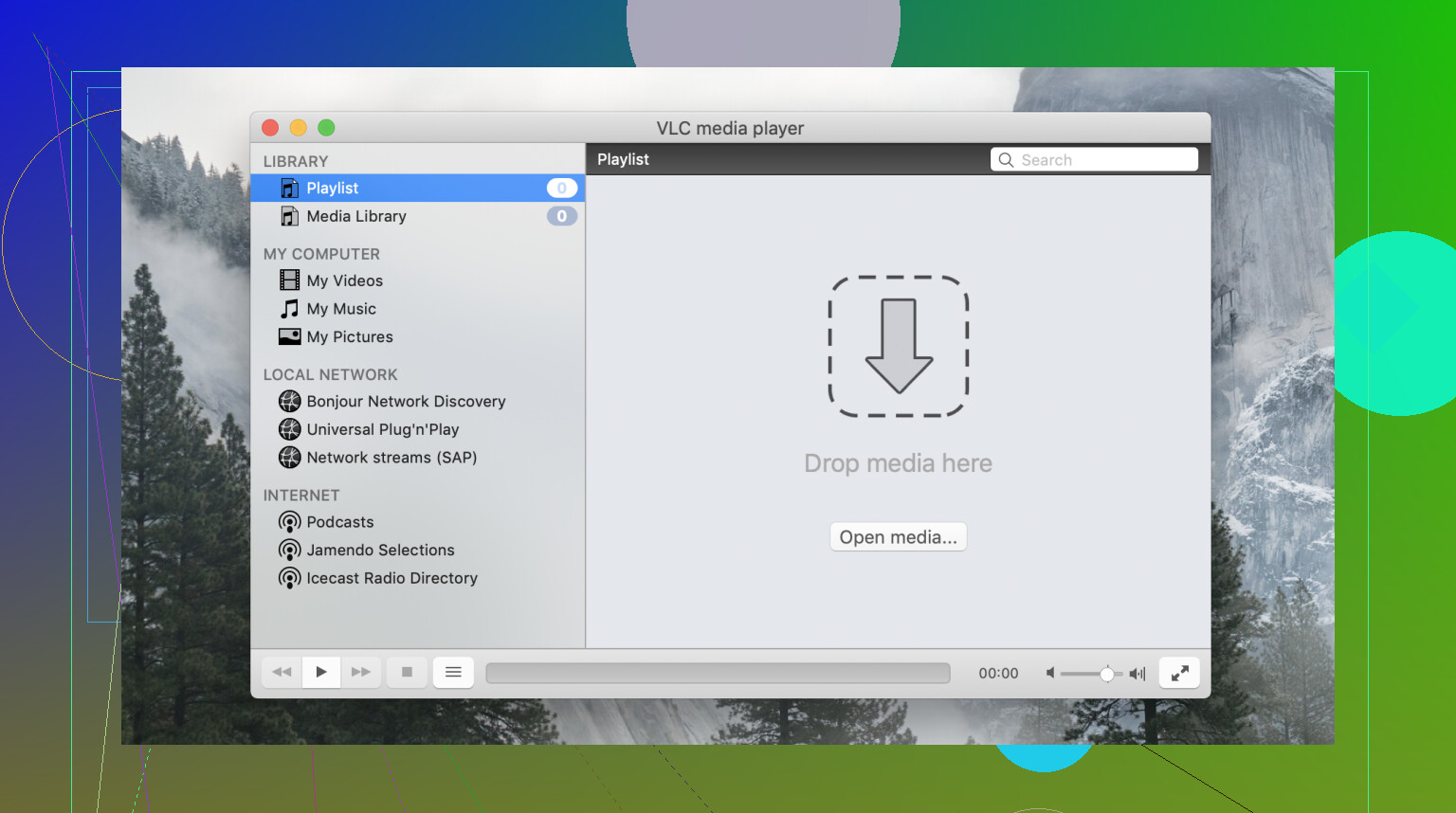
User Interface
The interface is often described as utilitarian and minimalist. It prioritizes a basic layout that has changed very little over the last decade. While this makes it easy for users to find the play and pause buttons, more advanced configuration options are located within complex preference menus. This can be intimidating for casual users who find the deep categorization of settings difficult to navigate.
Main Features
VLC includes a significant number of tools beyond simple playback. Users can stream content over a local network, capture their desktop screen, and convert video files into different formats. It also provides fine-grained control over playback, including synchronization offsets for subtitles and audio, which is helpful when dealing with improperly encoded files.
Format Support
The player is primarily known for its extensive internal library of codecs. It can decode high-definition video, such as H.264 and HEVC, as well as specialized formats like MKV, FLV, and raw transport streams. Because it handles decoding internally, it can often play files that the default media players on Windows or macOS cannot open.
Audio/Video Not Working
A significant drawback discussed in support threads is the issue where Audio/Video is not working. Users frequently report instances where the player fails to render one of the two main components. For example, a user may encounter a black screen where only the audio is audible, or the video may play smoothly while the speakers remain silent. These errors often stem from internal driver conflicts or failures in hardware decoding. Resolving these issues typically requires the user to manually change the output module in the advanced settings, which is a significant hurdle for those who are not tech-savvy.
A Modern Alternative: Elmedia Player
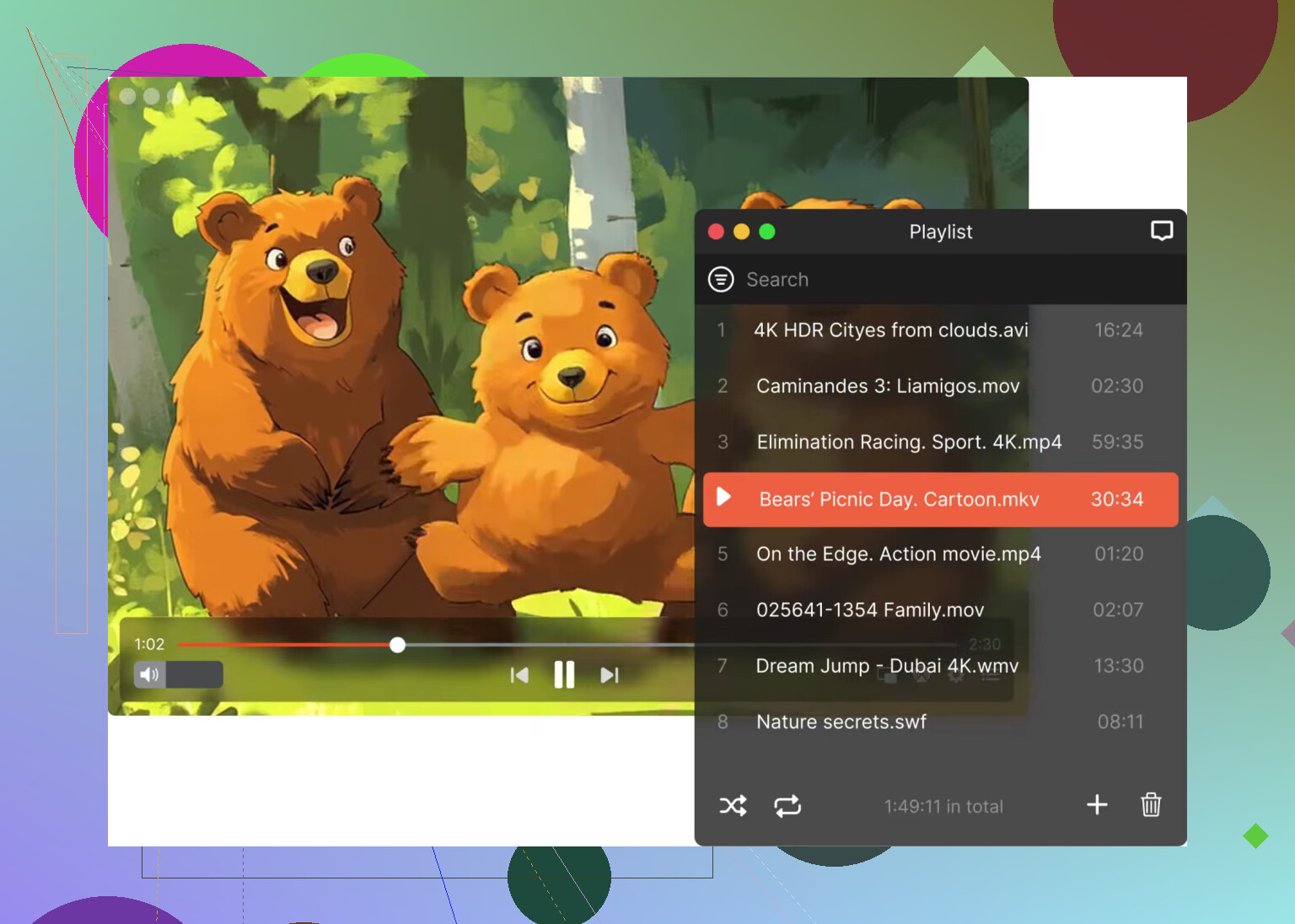
For users seeking a different experience, Elmedia Player is often cited as a strong alternative, particularly for Mac users.
- Key Features: It integrates hardware-accelerated decoding to prevent lag and offers native support for streaming to Chromecast, AirPlay, and DLNA devices.
- Advantages: It provides a much more contemporary interface that aligns with modern operating system aesthetics. It also includes a built-in subtitle search engine and more reliable playback for high-resolution 4K and 8K files, avoiding many of the rendering glitches found in VLC.
Conclusion
VLC is a versatile tool for anyone who needs to open obscure file formats for free. However, its dated design and the recurring technical issues involving audio or video playback failures can be a source of frustration. For a more streamlined and visually integrated experience, Elmedia Player serves as a functional and more stable substitute.
6 Likes
VLC is solid, but I would not call it perfect.
My real use:
- Great codec support. MKV, AVI, old MP4s, weird files from years ago. VLC usually plays them.
- Subtitle control is good. Delay, speed, font size, track switching. This part is one of its best features.
- Performance is mixed. On normal 1080p files, no issue. On some 4K HEVC files, I’ve seen stutter or washed colors on one PC and smooth playback on another.
- Interface feels dated. I disagree a bit with @mikeappsreviewer on how much this matters. For basic playback, I think VLC is fine. For deeper settings, it gets annoyng fast.
- Audio sync tools help a lot when a file is messy.
Where VLC loses me is consistency. One update feels fine, next update gives odd hardware acceleration issues, black screen, or no sound on specific systems. Not all users hit this, but enough do.
If VLC is your main player on Windows or Linux, it still makes sense. If you’re on Mac and want smoother daily use, Elmedia Player feels cleaner and less fiddly from my expereince.
Short version, VLC is great as a fallback and still good as a main player if you don’t mind some tinkering.
VLC is one of those apps that earns trust the boring way. It just keeps opening files other players refuse to touch. On that part, I agree with @mikeappsreviewer and @cazadordeestrellas. Codec support is still VLC’s biggest win, and subtitles are honestly excellent once you start using the sync and track options.
Where I slightly disagree is on playback quality being “mostly fine” across the board. In my use, VLC is reliable, but not always the smoothest. It can look perfect on one machine and weirdly stuttery on another with the same file. That inconsistency is the real issue, not raw capability.
My honest take:
- Best for mixed file libraries, old anime rips, random MKVs, broken downloads
- Subtitle handling is better than a lot of default players
- Lightweight enough for older systems
- UI is ugly, but usable
- Advanced settings are a maze, kinda a mess tbh
- Updates sometimes fix one thing and break another
If you want one free player to keep forever, VLC is still a safe pick. If you want a smoother daily main player on Mac, Elmedia Player feels more polished and less fiddly. I’d keep VLC installed either way, esp for weird files.
I’m a little less forgiving than @cazadordeestrellas, @caminantenocturno, and @mikeappsreviewer on one point: VLC is great at opening files, but that does not always mean it is the best main player.
My honest VLC review:
What VLC does really well
- Plays almost anything without extra codecs
- Excellent subtitle controls
- Good audio track switching
- Free, open source, no ad nonsense
- Handy for damaged or unusual files
What gets annoying
- Playback can be inconsistent depending on GPU drivers and hardware decoding
- Interface feels ancient
- Advanced preferences are cluttered
- Music library use is mediocre
- Sometimes color output or HDR handling looks off
So for me, VLC is the tool I trust most for compatibility, not always the one I enjoy most daily.
If you are on Mac, Elmedia Player is worth a look.
Elmedia Player pros
- Cleaner UI
- Better day-to-day feel
- Strong streaming support
- Usually smoother with high-res files
Elmedia Player cons
- Not as universally familiar as VLC
- Some features are better in paid tiers
- Less of a “Swiss army knife” vibe
My take: keep VLC installed no matter what. Use it as your problem-solver. For daily watching, especially on macOS, Elmedia Player can feel less stubborn.