I accidentally deleted photos and video files from my SanDisk SD card, and now I need a reliable recovery software recommendation. The card was working fine before this, and I’m hoping to recover important files without causing more damage. What SanDisk SD card recovery software actually works best?
If your SanDisk SD card has missing files, stop using it first. I learned this the hard way once after taking a few more photos, and some of the old files were gone for good. Don’t shoot more pictures, don’t format the card again, and don’t run repair tools before recovery. Any of those can overwrite deleted data or make file damage worse.
If your computer still sees the card, I’d start with Disk Drill. In my case, tools like this were the least annoying place to begin because you can scan for deleted files, stuff lost after formatting, RAW cards, corrupted cards, and missing photos or videos. The preview feature matters. I always check previews before saving anything, because it tells you fast whether the files are still intact or if the scan only found broken leftovers.
A few other things are worth trying too:
- Check whether your photos were backed up somewhere already.
- Try a different card reader.
- Try another USB port.
- If you’re okay with a rougher interface, use PhotoRec.
One important part people mess up. Recover files to your computer or to another external drive. Don’t save them back onto the same SD card.
I also ran across a useful discussion here, where people compare SD card recovery cases and what worked for them: data recovery-related Facebook community
If the SanDisk card still mounts, I’d rank the options like this.
-
R-Studio, if you want the best scan depth.
It finds deleted files well, especially big video files from cameras and drones. The UI is uglier than sin, but the file system support is strong. Better pick if the card has exFAT damage. -
Disk Drill, if you want the easiest recovery flow.
I know @mikeappsreviewer already mentioned it, and I don’t fully agree with starting there for every case, but for accidental deletion on a healthy SD card it makes sense. Fast scan, clear preview, easy export. For most people, less friction means fewer mistakes. -
UFS Explorer, if other tools miss files.
More technical. More expensive. Worth it when footage matters.
I would skip Recuva for SD video recovery. It does fine on simple PC deletes, but large SD card media recovery is hit or miss in my experiance.
Also read this roundup on best SanDisk recovery software for deleted photos and videos. It compares tools in a way that’s easy to scan.
One more thing I disagree on a bit with common advice. Switching ports and readers is fine for detection issues, but if your card already reads normaly, focus on imaging it first with a tool like USB Image Tool or R-Studio, then scan the image. That lowers risk if the card starts failing mid-scan.
If the card asks to format, stop there. Don’t approve it.
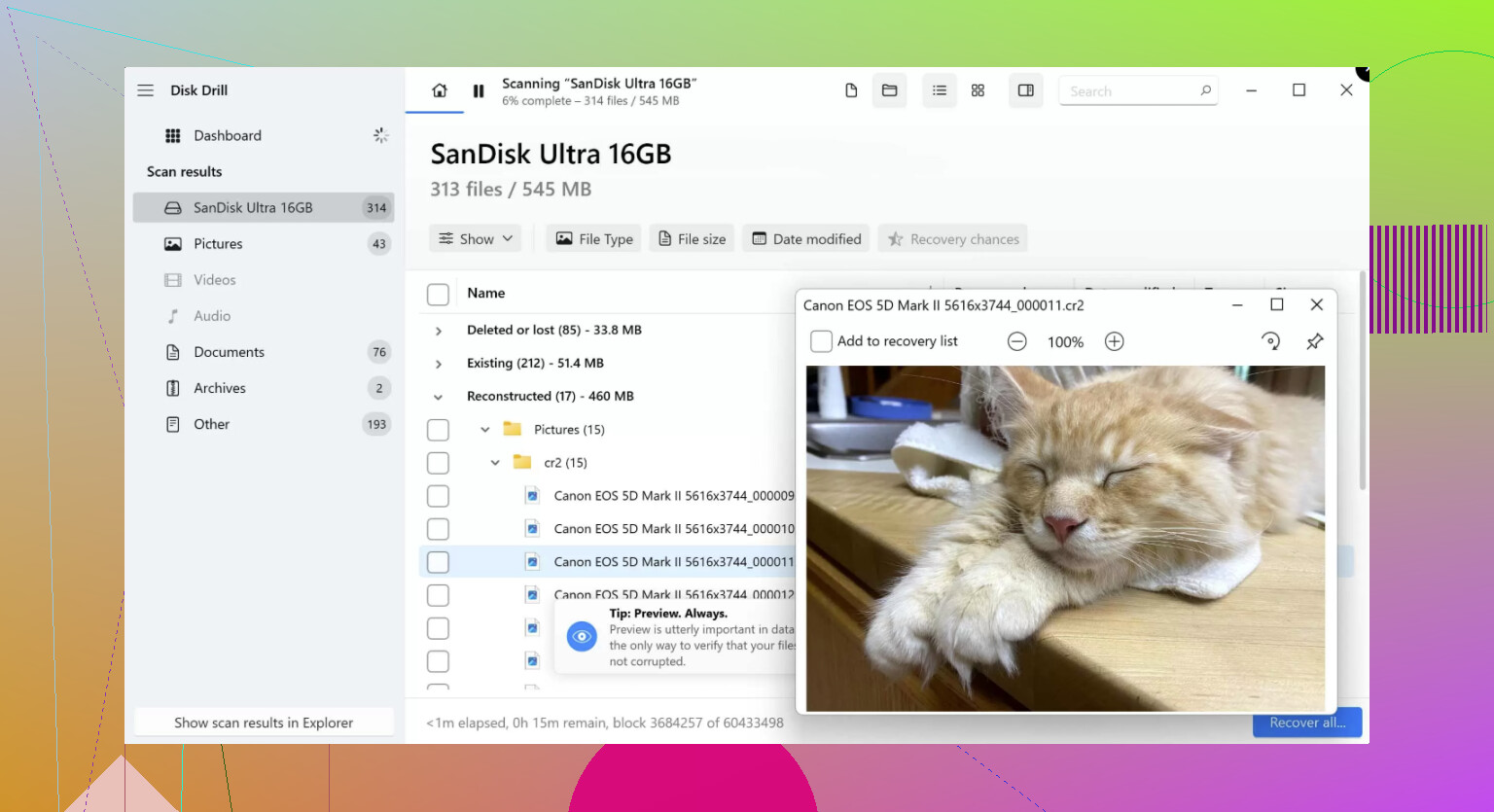
If the SanDisk card was just accidentally deleted and it still mounts normally, I’d actually keep it simple first. @mikeappsreviewer and @byteguru covered the “stop using it” part already, so I won’t rehash that. Where I slightly disagree is jumping straight into the most advanced tool possible. For plain accidental deletion, that can be overkill and kinda a time sink.
I’d test with Disk Drill first because it’s one of the better options for SanDisk SD card photo recovery and video file recovery from SD cards without making the process a mess. The preview is useful, and for camera files that matters a lot. If your JPG, MP4, MOV, or RAW previews look normal, you’ve probably got a decent shot at getting them back cleanly.
One thing people forget: sort scan results by file type and estimated recovery chances before exporting. That saves a ton of time when the scan dumps thousands of leftovers at you. Also, if filenames matter, check whether the tool finds the original folder structure instead of only generic file carving. That’s a huge differecne for big photo cards.
If Disk Drill misses stuff, then yeah, move up to something heavier like what @byteguru mentioned. But I would not start with the most complicated app unless the card is acting weird.
Also, this is worth watching if you want a clear walkthrough: step by step SD card data recovery for deleted photos and videos
Big thing: recover to another drive, not back onto the SanDisk card. Seems obvious, but people still do it and then wonder why files come back half-broken lol.
I’m slightly less sold on starting with the heaviest tool unless the card shows damage. For a normal mount + accidental delete case, @byteguru is right about scan depth mattering, but complexity can also lead to bad choices. @suenodelbosque and @mikeappsreviewer are closer to how I’d approach it for most people.
My take:
Use Disk Drill first if the card is still readable.
Pros
- Simple workflow, hard to mess up
- Good preview support for photos and common video formats
- Usually decent at rebuilding folder structure
- Good for straightforward SanDisk SD card recovery cases
Cons
- Not the cheapest option
- Deep scans can return lots of renamed files
- On badly corrupted cards, more advanced tools may dig deeper
What I’d add that hasn’t been stressed enough: check the card’s write-protect switch if it’s a full-size SD in an adapter. Lock it before doing anything. It won’t save you from every write, but it reduces the chance of accidental changes.
Also, if your videos are from a camera that records in fragmented chunks, don’t judge recovery only by thumbnails. A photo preview can look perfect while a recovered video still stutters halfway through. Export a couple of short test files first and actually play them.
So yeah, for ease and a good chance of recovering deleted photos and videos from a SanDisk card, Disk Drill is a sensible first pass. If it finds the files cleanly, stop there. If not, then move to the more technical stuff the others mentioned.