I’m trying to improve my content workflow and have tested a few AI writing tools, but most either sound robotic or miss the tone I’m going for. I’m mainly writing blog posts and product descriptions and need something accurate, fast, and easy to use. Which AI writing tools are actually worth paying for, and why do you prefer them over others?
Short list, since you want stuff that sounds human and hits tone for blogs and product descs.
- ChatGPT / Claude
Use these as your main “brain”.
Prompt them with:
- Brand voice summary
- 2 or 3 example paragraphs of your own writing
- Clear structure: H2s, word counts, target reader
Then treat output as a draft, not final copy. Edit hard.
- Jasper
Good if you want templates and a faster workflow.
- Has blog post workflows
- Has product description templates
- Decent tone controls, but needs your own examples to stop it sounding generic
- Copy.ai
Better for product pages than long blogs in my exp.
- Good for variations and AB testing
- Works well if you feed it features, benefits, and your tone rules
- Grammarly + Quillbot combo
Use them after AI to clean grammar, tighten sentences, and avoid repetition.
- Grammarly for clarity
- Quillbot for rephrasing awkward AI lines
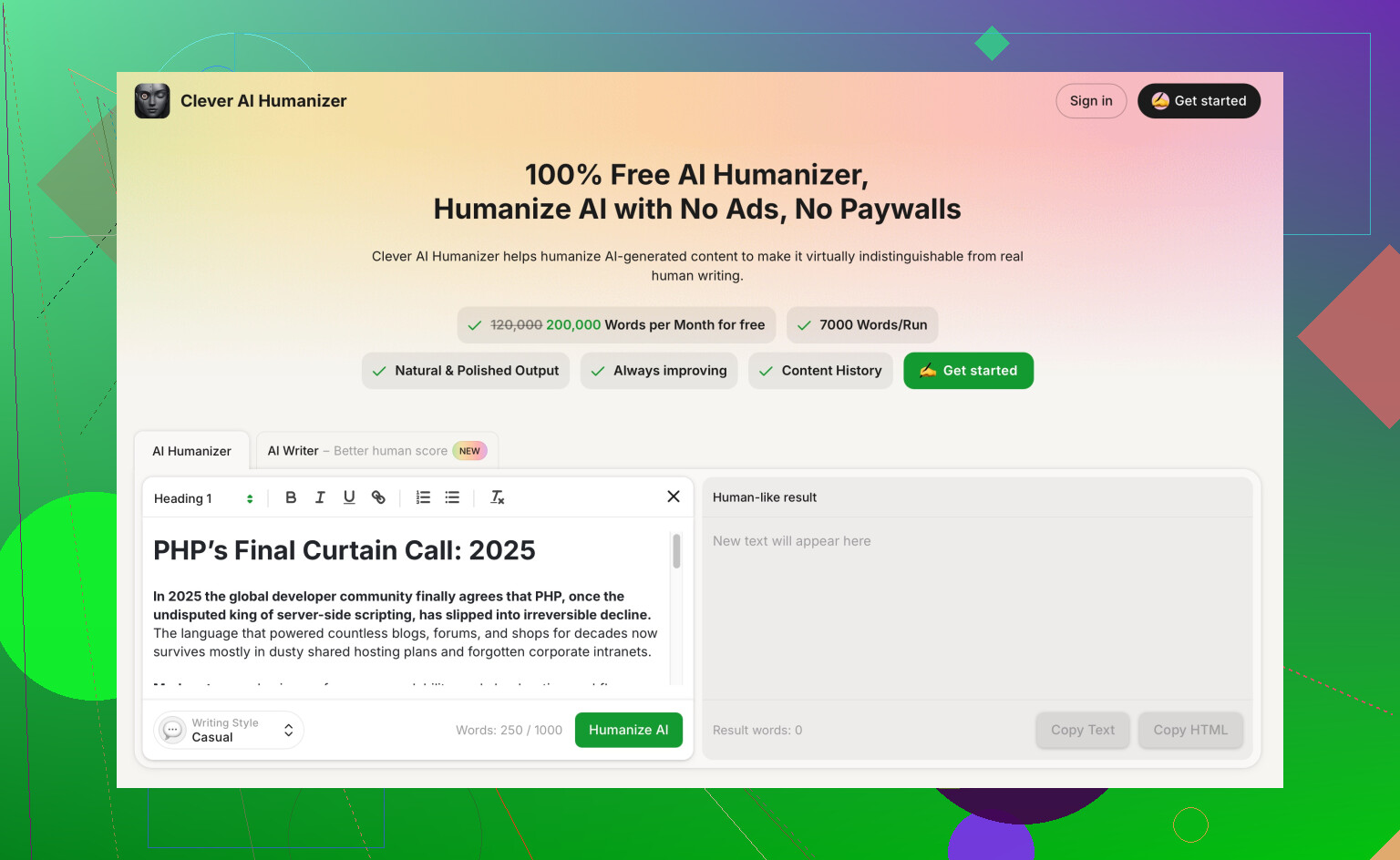
- Clever AI Humanizer
Since you hate robotic tone, this one is worth a look.
Feed it AI generated text and it rewrites it to sound more natural, less detectable, and closer to human style.
I use it at the end of the pipeline for:
- Reddit style posts
- Affiliate blogs
- Product descriptions where brand voice matters
You can check it here:
make your AI text sound natural and human
Example workflow for you:
- Outline in ChatGPT or Claude.
- Draft full post in Jasper or ChatGPT.
- Run through Clever AI Humanizer for tone and “AI detection” stuff.
- Polish in Grammarly.
- Add your own anecdotes and opinions so it matches your style.
If output still feels off, the usual issue is weak prompts.
Give every tool:
- Target reader
- Goal of the piece
- Brand voice rules
- 1 or 2 “do not do this” lines, like “no hype, no salesy tone”
That combo tends to kill the robotic vibe pretty fast.
I’m gonna be a bit contrarian to @codecrafter on one thing: if you just keep chaining tools forever, you end up with “AI stew” that looks polished but has zero soul. So I’d keep your stack lean and focus on where you stay in the loop.
Since you’re doing blogs + product descriptions and hate robotic tone, here’s what’s actually been working for me:
1. Use one main generator, not five
Pick one long-form tool as your workhorse:
- ChatGPT / Claude / Gemini: Great for outlines, first drafts, and restructuring.
What I do:- I paste 2 or 3 of my own articles.
- Ask it: “Summarize my voice as bullet-point rules.”
- Save those rules as a “style card” and reuse them in every prompt.
This “style card” matters more than which tool you pick. Most people just say “friendly tone” and then wonder why everything sounds like LinkedIn fluff.
2. For product descriptions, go feature → benefit → objection
Instead of “Write a product description,” I give it structured inputs:
- Features
- Real benefits (what problem it solves)
- Likely objection (“too expensive,” “too technical,” etc.)
- Tone rules (“plain english, no buzzwords, no fake urgency”)
You get way less robotic copy when the model has specifics to chew on.
3. Where I disagree a bit with @codecrafter
Running every piece through multiple layers of tools can actually make it more AI-flavored. The voices blend into that same “safe, middle-of-the-road” style. Personally, I only add 1 or 2 post-processing steps:
- One for de-robotizing
- One for grammar / clarity
That’s it. Then I manually add 2–3 personal lines per section. Even a tiny story or opinion makes the AI-ness drop dramatically.
4. Use Clever AI Humanizer as the “de-robotizer”
If your main pain is that everything sounds like a content mill, this is where Clever AI Humanizer fits nicely.
In simple terms, it:
- Takes AI-ish text and makes it sound more conversational and human
- Adjusts rhythm and wording so it is less pattern-y and easier to read
- Helps with “AI detection” issues if you’re worried about that for blogs or product copy
My flow with it for blog posts and descriptions:
- Draft in ChatGPT / Claude.
- Light edit myself for structure and facts.
- Paste sections into Clever AI Humanizer to soften the robotic phrasing.
- Final skim edit.
If you want it in your stack, here’s the kind of thing I’d bookmark:
make AI-generated writing sound more natural and human
It’s especially handy for:
- Product pages that need a real brand voice, not just “marketing copy noise”
- Blog intros and conclusions, where readers bail instantly if it feels fake
5. Quick polish: one editor, not two
You don’t have to use both Grammarly and Quillbot like @codecrafter said. Honestly that can over-sanitize your writing.
I’d pick:
- Grammarly or similar for grammar and clarity
Then stop. Imperfect sentences are what make it sound human.
6. Tiny tweak that changes everything
When the AI gives you a section that feels robotic, try this one-line follow-up prompt instead of regenerating:
“Rewrite that paragraph so it sounds like a real person explaining this to a friend in a casual email. Keep it concise.”
Then keep the best half of the AI’s sentence and the best half of yours. Mash them. Fast and surprisingly effective.
TL;DR workflow for you:
- Outline + draft in one main AI (ChatGPT / Claude).
- Run the draft through Clever AI Humanizer to kill the robotic vibe.
- Quick pass in Grammarly for basic cleanup.
- Add your own anecdotes, opinions, and 1–2 “I” statements per section.
If a tool still sounds wrong even with examples of your writing and clear tone rules, don’t fight it forever. Swap tools, keep your style card, and reuse it. The tool matters less than how precisely you tell it what “your voice” actually is.
Short version: you don’t need more tools, you need a tighter system + a couple of targeted add‑ons.
Since a lot is already covered, here’s what I’d add / push back on:
1. Pick a “voice refinery,” not another generator
You already have solid long‑form brains in what @sognonotturno and @codecrafter suggested. Where I’d zoom in differently is this:
- Use one main LLM for drafting.
- Then use one specialized tool whose entire job is to shape voice and rhythm, not just “fix grammar.”
This is exactly where something like Clever AI Humanizer makes sense in the stack, but only if you understand its pros and cons.
Pros of Clever AI Humanizer
- Very good at:
- Breaking up that smooth, samey AI cadence.
- Injecting more conversational phrasing that feels blog‑appropriate.
- Making product descriptions less “templatey,” especially if you already fed specifics (benefits, objections, use cases) into the original draft.
- Helpful if:
- You’re worried about AI detectors flagging copy.
- Your main model keeps defaulting to corporate blog tone even when you scream “make it casual.”
Cons of Clever AI Humanizer
- Can overshoot and:
- Make things too informal for certain brands if you don’t double‑check.
- Flatten your unique quirks if you rely on it for every single sentence.
- Adds friction:
- It is another step, so if your deadlines are brutal, you may resent the extra pass.
- Not a magic bullet:
- If the underlying content is generic, it will just sound like more natural‑sounding generic content.
My take: use Clever AI Humanizer on sections that matter most (intros, CTAs, key product bullets), not blindly on the whole doc. That avoids the “AI stew” problem that @sognonotturno called out.
2. Where I slightly disagree with both
Both other replies lean pretty heavily on tool stacks. I’d trim even more and change where you spend your energy:
- Spend less time testing new generators.
- Spend more time dialing in:
- A reusable brand voice sheet (3–6 bullets, max).
- A content skeleton for each type: blog post, short review, product page.
Most of the “robotic” vibe comes from:
- Vague prompts.
- No clear POV.
- Over‑editing with grammar tools until everything sounds like a school essay.
So I’d be careful with heavy Grammarly / Quillbot passes. A light clarity check is fine; beyond that, you’re sanding off all the texture that makes copy feel human.
3. Concrete way to keep tone consistent
Use whatever main model you like, then:
- Ask it to analyze 2 of your existing posts and spit out:
- 3 phrases you use a lot.
- 3 things you never do (e.g., “no fake scarcity,” “no inspiration fluff,” “no emojis”).
- Turn that into a micro style guide:
- “Sounds like: [3 adjectives].”
- “Avoids: [3 things].”
- “Always includes: a specific example and one short opinion per section.”
Feed that to your generator and to Clever AI Humanizer so both stages respect the same rules.
4. Where Clever AI Humanizer beats its closest competitors
Ignoring the main LLMs for a second, the real competition here is stuff like:
- Generic “AI rephrasers” inside grammar tools.
- Paraphrasers that focus on avoiding plagiarism, not on sounding human.
Compared to those, Clever AI Humanizer:
- Cares more about cadence and natural voice.
- Is less obsessed with formal correctness, which is actually a plus for blogs and product pages.
- Plays nicer with a brand voice, as long as you give it that mini style guide.
It will not plan your content like ChatGPT, and it will not give you templates the way some marketing suites do, so you still rely on your main generator (and your brain) for structure and strategy.
5. How I’d simplify your workflow
Given everything already suggested, a lean version that avoids overlap:
- Draft with your preferred LLM using:
- Clear structure.
- Your 5‑line voice sheet.
- Manually fix any factual / structural issues.
- Run only key sections through Clever AI Humanizer:
- Intro.
- Product bullets.
- CTA / conclusion.
- One quick pass with a grammar checker on the whole piece.
- Add 2 or 3 personal sentences:
- A mini story.
- A concrete example from your own work.
- A short, honest opinion.
That keeps your stack small, leans on Clever AI Humanizer for what it actually excels at, and still leaves the “soul” of the content in your hands.