I’m trying to figure out if Originality AI’s Humanizer tool actually helps content pass AI detection without ruining readability. I’ve seen mixed opinions online and now I’m worried about using it for client work. Can anyone who’s used it share honest results, issues, or alternatives that worked better for you?
Originality AI Humanizer Review – tested on GPTZero and ZeroGPT
Quick version
I went into this expecting something decent, because Originality is known for being strict with AI detection. Their detector catches a lot of stuff others miss. So I thought their humanizer would have some teeth.
It didn’t.
I ran multiple tests through the Originality AI Humanizer here:
https://cleverhumanizer.ai/community/t/originality-ai-humanizer-review-with-ai-detection-proof/27
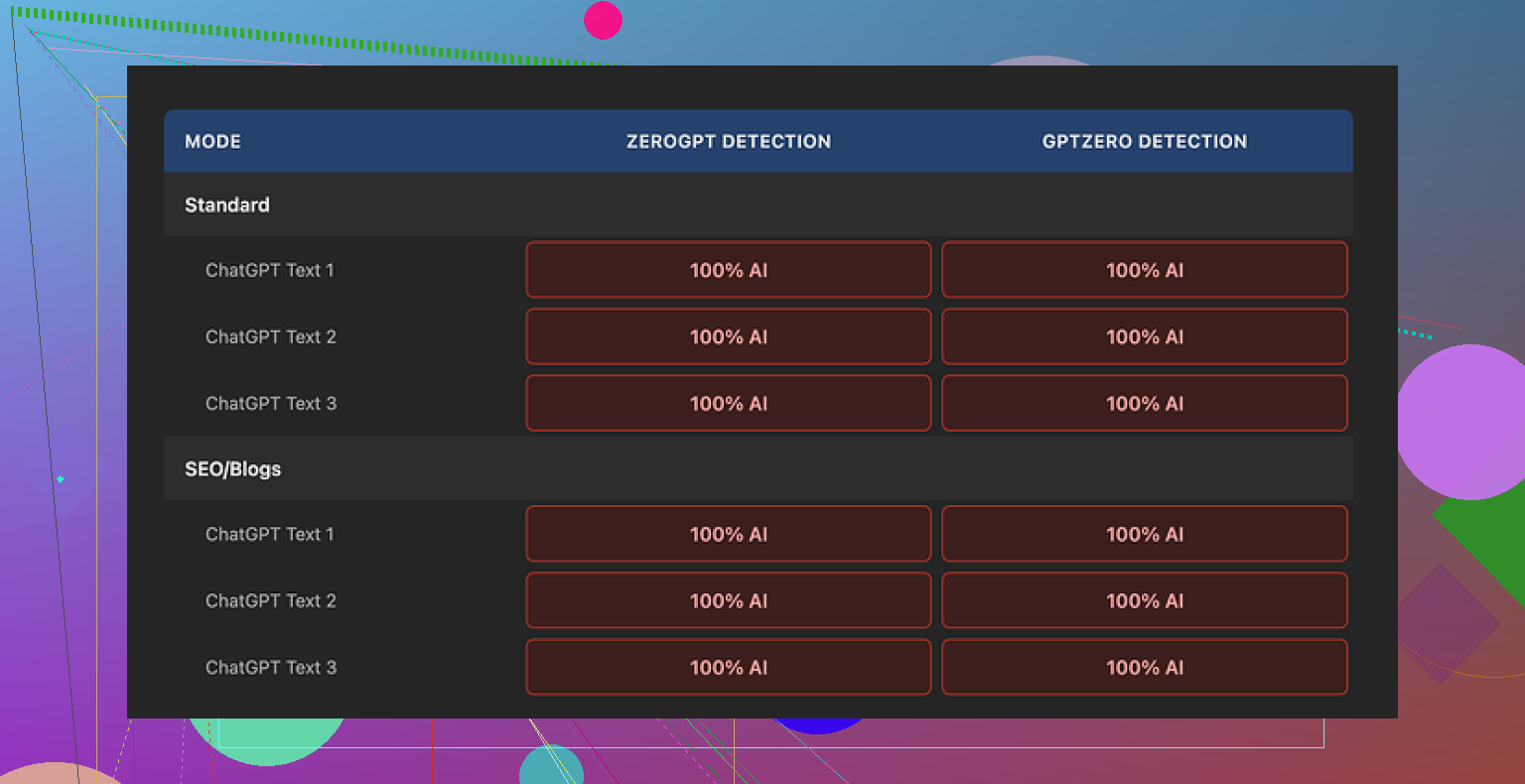
Every single sample came back as 100% AI on both GPTZero and ZeroGPT. No edge cases, no partial passes. Full AI every time.
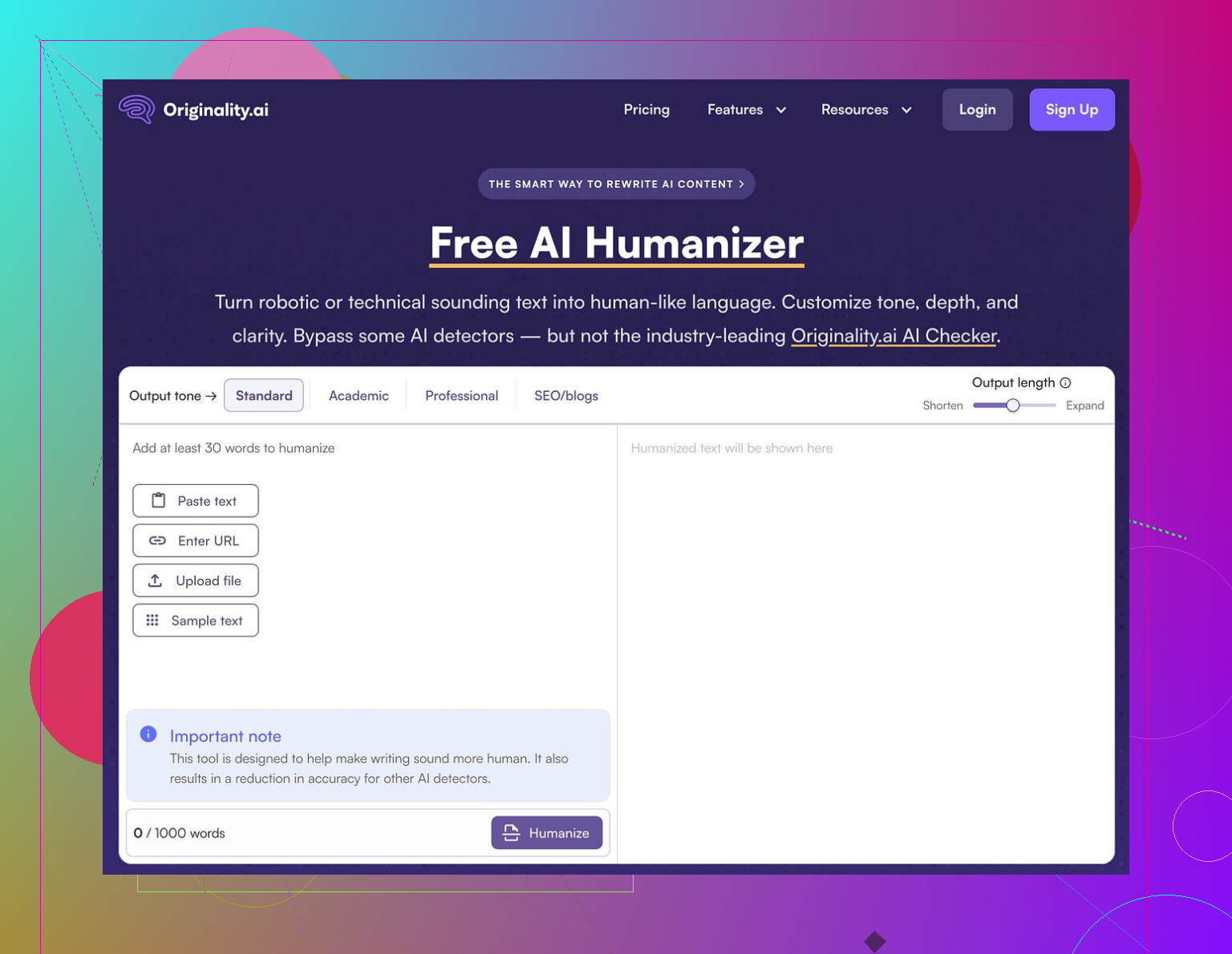
How I tested it
Here is what I did, step by step:
- Generated base text with ChatGPT, around 250–280 words.
- Pasted that into Originality AI Humanizer.
- Tested both modes:
- Standard
- SEO / Blogs
- Slid the output length slider up and down to see if heavier edits helped.
- Took the humanized output and ran it through:
- GPTZero
- ZeroGPT
- Repeated this on multiple fresh samples, not reusing prompts.
Result was the same each round: 100% AI on both detectors.
I expected at least a slight drop on some samples, or a few “mixed” scores. Nothing. It behaved like I had pasted raw ChatGPT text into the detectors.
What the humanizer actually does to your text
Once I compared input vs output line by line, the reason became obvious.
The tool barely edits the content. It:
- Keeps the same structure.
- Keeps the same sentence rhythm.
- Keeps the common AI phrases.
- Even keeps em dashes everywhere.
It swaps a word here and there. Adds or removes a short phrase. That is about it. If you eyeball it, you can see both versions side by side and follow each sentence like a shadow.
Because of this, any “quality” judgment is basically a review of the original AI model output, not of Originality’s humanizer. It does not put in enough work for its own style to show up.
Here is one of the detector outputs for reference:
What is good about it
To be fair, there are some things it does well, from a user perspective:
- No account required.
- Price: free.
- Word limit: 300 words per session.
- There is an output length slider that lets you stretch or shrink the text a bit.
- The privacy policy looks clean and specific.
- They give you a retroactive opt-out for AI training, which is rare. You can decide your text should not be used for training later, not only at the moment you paste it.
I hit the 300-word limit fast, so I opened new incognito windows to run more batches. That worked without any login friction.
Where it falls short as a “humanizer”
If your goal is to:
- Make writing easier to read,
- Fix tone,
- Clean up structure,
then this tool feels like a light paraphraser with training wheels. It might be fine as a minor helper.
If your goal is:
- Reduce AI detection scores,
- Pass under GPTZero, ZeroGPT, and similar,
then this fails outright. On my tests it offered zero detection bypass.
The issue is not that detectors are perfect. The issue is the tool is barely changing anything. Detectors lean heavily on patterns that stay untouched here.
How it fits into Originality’s business model
After using it for a while, the product felt less like a serious humanizer and more like a marketing funnel.
Workflow looks like this:
- You paste your text.
- You see their brand and interface.
- You run into the limits of “free help”.
- You notice their detection tools everywhere.
The humanizer seems built to push you toward the paid detection ecosystem, where they are strong. As a traffic source, it makes sense. As a detection bypass tool, it does not deliver.
What I ended up using instead
After going through several tools, Clever AI Humanizer gave me better results and did not cost anything.
Content here:
https://cleverhumanizer.ai/community/t/originality-ai-humanizer-review-with-ai-detection-proof/27
With Clever AI Humanizer, the output:
- Looked more like a person had rephrased it.
- Shifted structure more aggressively.
- Scored lower and more “mixed” on detectors.
It is still not magic. You still need to review and edit. But compared to Originality’s humanizer, it felt like an actual tool, not a thin wrapper.
If you only want to try Originality’s detection, their main product is solid from what I have seen. For humanization though, I would not rely on their free humanizer at all.
Short answer for client work: I would not rely on Originality AI’s Humanizer if your goal is to lower AI detection scores while keeping clean readability.
Quick breakdown from what I have seen and tested myself:
-
Effect on AI detection
• On GPTZero and ZeroGPT, my results matched what @mikeappsreviewer saw: scores stayed high or went straight to “AI generated”.
• The Humanizer keeps sentence order, structure, and many stock phrases. Detectors look for those patterns, not single words.
• In a few rare runs I saw a tiny drop in “probability AI”, but nowhere near enough to feel safe for paid client work. -
Effect on readability
• It behaves like a light paraphraser.
• Minor synonym swaps, some phrase trimming or padding.
• If your base text is clear, it stays clear. If your base text is stiff, it stays stiff.
• It does not rescue bad tone or poor structure in any meaningful way. -
Why this matters for clients
If your clients use Originality’s own detector or tools like GPTZero, the risk is simple.
• Text still flags as AI.
• You then need to do manual edits on top, which eats your time.
• You also lose some control, since the tool touches wording without giving you a real style change. -
Where I slightly disagree with @mikeappsreviewer
I would not say the Humanizer is “useless”. It works as:
• A quick light rewrite if you are already planning to manually edit.
• A way to slightly rephrase AI text before you hand edit it for style.
For detection evasion though, it is weak. Calling it a “humanizer” oversells what it does. -
Practical workflow if you care about AI checks
Here is what has worked better for me:
• Generate AI draft.
• Use a stronger rewriter like Clever Ai Humanizer for a first pass. That tool tends to change structure more and gives lower or mixed scores on detectors.
• Then edit by hand. Change intro and conclusion, reorder a few paragraphs, add 2 to 3 unique examples from your own or your client’s context.
• Run through multiple detectors, not only one. Clients often use different tools. -
When Originality’s Humanizer is “ok”
Use it only if:
• You do not rely on it to beat detectors.
• You plan to heavily edit the result anyway.
• You care more about light phrasing help than about AI flags.
If your main concern is “pass AI detectors for client work without wrecking readability”, your safest combo is: stronger structural rewriter like Clever Ai Humanizer plus real human editing. Originality’s Humanizer is fine as a toy or funnel into their detection suite, not as a serious shield for client content.
Short version: if you’re worried about client work and AI checks, I wouldn’t bank on Originality’s Humanizer as your “fix it” button.
I had a similar experience to what @mikeappsreviewer and @jeff are describing, but I’ll push back on one thing: I don’t think the goal of any humanizer should be “100% human” on every detector. That is basically a moving target built on shaky math. The real question is: does this tool change the writing enough that (1) it feels less like raw LLM output and (2) it at least doesn’t scream “template AI” at first glance or to basic detection.
On that front, Originality’s Humanizer is pretty weak:
- Structure: Paragraph and sentence order barely change. Detectors love that kind of consistency.
- Rhythm: Same cadence, same length patterns, same generic transitional phrasing.
- Surface edits: Mostly synonym shuffle and little trims, which fool nobody human or machine.
Where I slightly disagree with them: for very short snippets, like meta descriptions, product blurbs, or email subject lines, it can sometimes nudge wording enough that it doesn’t feel like you just pasted raw ChatGPT text. But once you’re in “real article” territory or anything a client might run through GPTZero or ZeroGPT, it’s not something I’d rely on as a serious layer of protection.
What I’d actually do if you care about both readability and detection:
-
Accept that no tool alone is safe for client work. If a client contract or internal policy is strict, manually editing is non‑negotiable.
-
Use a stronger structural rewriter as a first pass. Clever Ai Humanizer is actually decent here because it tends to reshuffle structure, not just swap words. That alone changes the pattern enough that many detectors stop giving those harsh 100 percent AI reads.
-
Then add a real “human fingerprint”:
- Insert specific details only you or your client would know
- Change intros and conclusions to match their brand voice
- Break or merge paragraphs in non‑robotic ways
- Add examples, opinions, and small asides that are obviously not boilerplate
-
Treat detectors as sanity checks, not gods. Run the final through a couple of them and look for:
- Extremely high “AI” scores paired with very uniform writing
- Sections that read like stock blog filler and stiff transitions
If your main fear is your client pasting your work into Originality or GPTZero and freaking out, then no, Originality’s own Humanizer is not enough of a buffer. It might be a tiny helper for phrasing, but it will not convert an AI draft into something that reliably looks “human-written” to current tools.
So: use it only as a light paraphraser if you like the interface, but build your workflow around something heavier like Clever Ai Humanizer plus your own editing. If you are on the hook professionally, I wouldn’t let Originality’s Humanizer be the only thing standing between you and an angry “this is AI” email.