I see feature lists online, but that doesn’t really tell me what it’s like to actually use Cyberduck regularly. If you use it for real work, what does the everyday experience feel like? Smooth or frustrating?
Hey everyone,
I’ve been seeing a lot of questions lately about whether Cyberduck is still worth the install, especially with so many newer cloud-native tools hitting the market. I’ve used it as my daily driver for SFTP and S3 management for the better part of five years, so I figured I’d drop a balanced look at where it stands today.
If you’re looking for a “this is the best app ever” fluff piece, this isn’t it. I love that it’s open-source, but it has some quirks that can definitely test your patience during a tight deployment.
What is Cyberduck?
For the uninitiated, Cyberduck is a “libre” (open-source) server and cloud storage browser. It’s been around forever, but it stays relevant because it handles almost every protocol we touch as devs. We’re talking:
- FTP/SFTP: The bread and butter for web hosting.
- WebDAV: Great for some legacy systems and specific CMS setups.
- Cloud Storage: Deep integration with Amazon S3, Backblaze B2, Microsoft Azure, and even specialized providers like Internxt.
Essentially, if you need to move a file from Point A to Point B and Point B is a server, Cyberduck can probably talk to it.
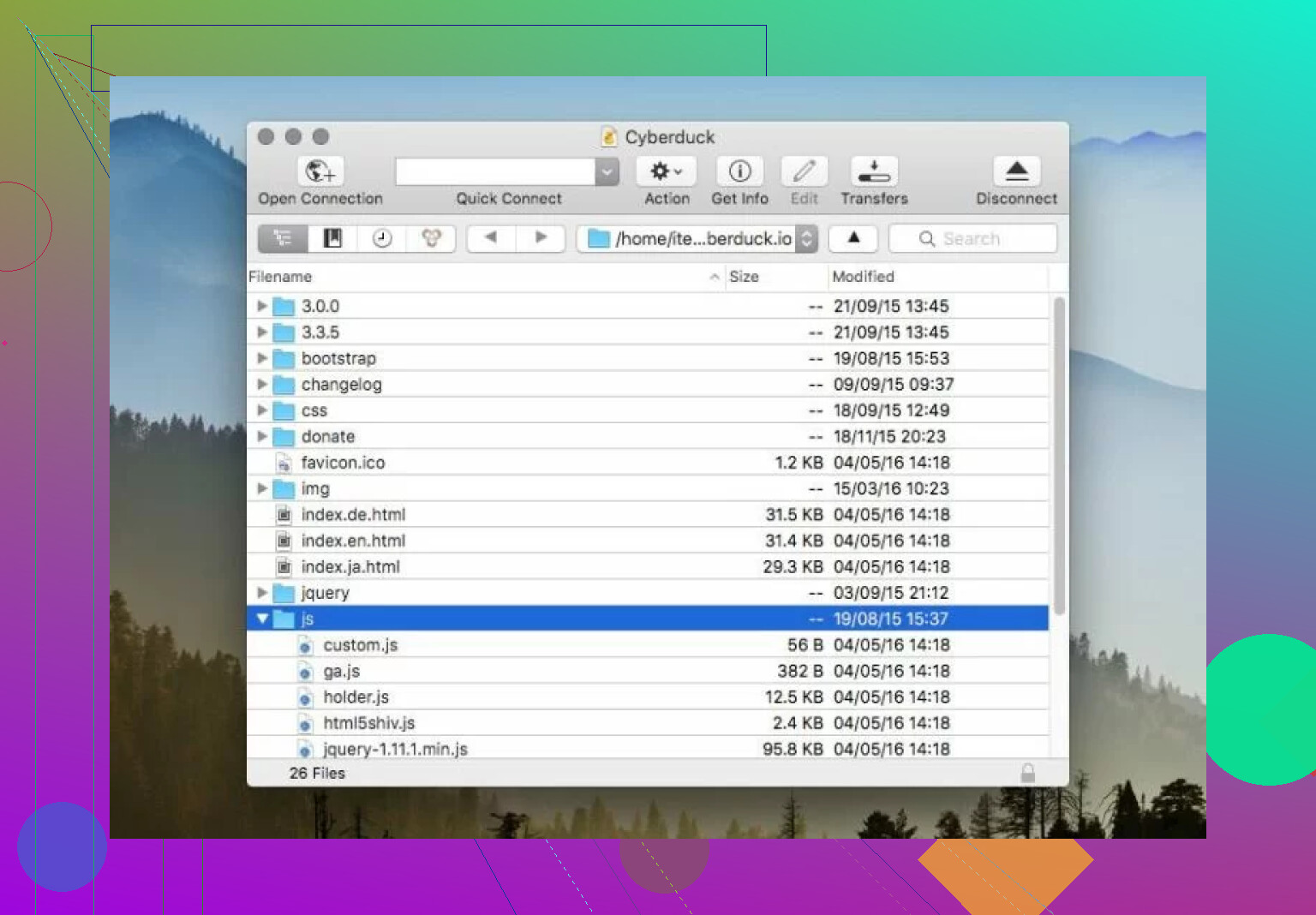
The Good Stuff: Why I Keep It Installed 
There are a few areas where Cyberduck really shines, particularly for open-source purists.
1. Multi-Segmented Downloading
One of the most practical features for those of us handling large assets (like database dumps or video files) is multi-segmented downloading. Cyberduck can split a single file into several parts and download them concurrently. In my experience, this significantly saturates your bandwidth and speeds up transfers compared to a standard serial download.
2. “Libre” Heritage and Integration
Being open-source isn’t just a philosophical win; it means the community keeps the integrations fresh. Whether I’m connecting to a standard Backblaze B2 bucket or a more privacy-focused provider like Internxt, the connection profiles are usually up to date. It feels like a Swiss Army knife that doesn’t care whose cloud you’re using.
3. Native Feel
Unlike some Java-based cross-platform tools that feel “clunky,” Cyberduck integrates quite well with the native OS. On Mac, it supports Quick Look (hitting spacebar to preview a file on the server), which is a huge time-saver when you’re trying to remember which config_v2_final_FINAL.php is the right one.
The Reality Check: Where it Frustrates 
It’s not all smooth sailing. If you’re using this for 8 hours a day, you’re going to hit some friction.
1. The Interface Gap
The biggest “love it or hate it” feature is the single-pane interface. Most “pro” FTP clients use a dual-pane system (local files on the left, remote on the right). Cyberduck works more like a file browser.
2. Performance Under Pressure
Cyberduck is great for moving a few files, but it’s prone to freezing or slow-downs during heavy tasks. If you’re trying to upload a folder with 10,000 small assets (like a node_modules folder-don’t ask why), the UI can become unresponsive while it processes the queue.
3. Legacy File Issues (ASCII vs. Binary)
This is a specific headache for anyone working with older servers. There have been lingering reports of issues with ASCII and binary file transfers.
If the client incorrectly guesses the transfer mode, it can mess up line endings in your scripts or corrupt images. While modern versions are better at “Auto” detection, I’ve seen enough “corrupted file” errors in forum threads to know it’s still a potential pitfall for legacy dev work.
4. The “Nagware” Factor
Since it’s free, the developers prompt for donations. However, the popup that appears every time you close the app can get pretty annoying when you’re in a “fix-test-upload” loop.
Tips and Tricks: Leveling Up Your Workflow 
If you do stick with Cyberduck, here are a few ways to make it less painful:
- Silence the Popups: If you want to suppress the donation nag for a year, you can actually use a terminal command.
- Mac: defaults write io.cyberduck registration.reminder.date 2027-01-01 (Adjust the date as needed).
- Use rclone for Automation: If you find yourself doing the same heavy lifting every day, pair Cyberduck with rclone. I use Cyberduck for the visual “one-off” stuff and rclone scripts for my automated nightly backups. It saves your sanity and prevents the UI from freezing.
The Recommendation: When to Switch? 
If you find that the single-pane view is slowing you down, or if you’re on a Mac and need something more robust, I highly suggest looking at Commander One.
Why Commander One?
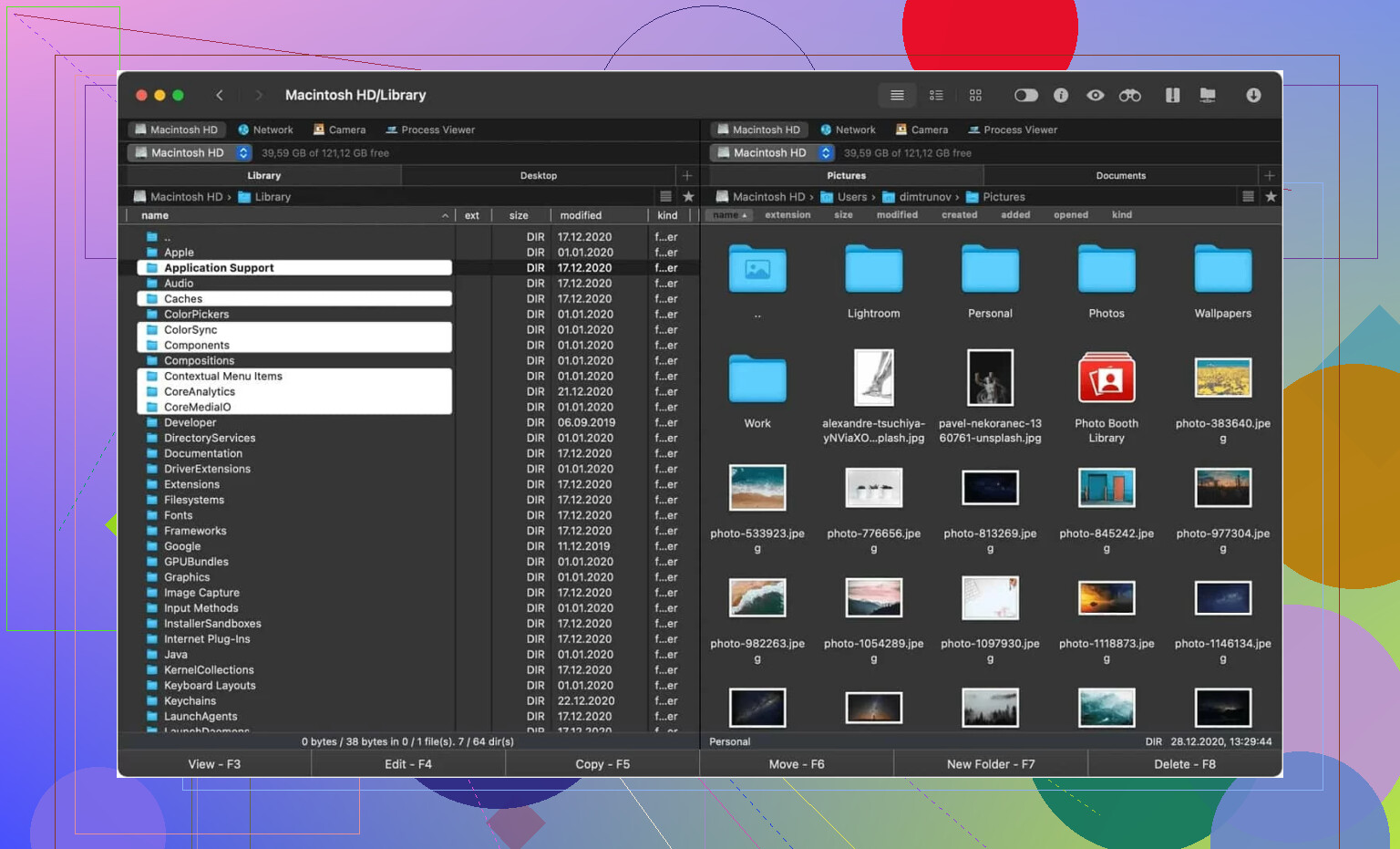
It’s a different beast entirely. It’s a dedicated dual-pane file manager that happens to have incredible FTP/SFTP support.
- Visibility: Having your local drive and your production server side-by-side makes “mirroring” directories manually much faster.
- Customization: It has configurable hotkeys. If you’re a power user who hates reaching for the mouse, you can map almost every command to a custom shortcut.
- Stability: In my testing, it handles large file queues with much more grace than Cyberduck. It feels built for “management” rather than just “browsing.”
Final Verdict
Cyberduck is still a solid, reliable choice for the casual developer or someone who needs a “no-cost” way to access S3 or SFTP occasionally. Its open-source nature is a huge plus.
However, if your work involves heavy file management and you’re tired of “disconnected” file views and the occasional UI hang, upgrading to a dual pane solution like Commander One is probably the move for your productivity.
What’s everyone else using this year? Still loyal to the Duck, or have you migrated?
I use Cyberduck on macOS for SFTP, WebDAV, and S3. Day to day, it feels fine if your work is simple. Open server, drag files, edit a few things, leave. It stays stable for that.
Where I differ a bit from @mikeappsreviewer is speed. On my setup, raw transfer speed was not the issue. UI lag was. One 8 GB file went through clean. A folder with 12,000 small files felt slow and clunky. If your job involves WordPress themes, node_modules mistakes, or lots of image batches, you will notice it.
Ease of use is mixed. Bookmarking is solid. Connection setup is easy. Search is ok. The single-pane layout gets old fast if you compare local and remote folders all day. That part never clicked for me, tbh.
Stability is decent. Crashes were rare for me. Stalls happened more than crashes. Transfers would hang on a few files, then need a retry. Not every day, but enough to annoy me.
My rule:
- Light server work, yes.
- Cloud buckets, yes.
- Heavy file management, no.
If you want a daily driver with more file-manager logic, Commander One felt smoother for repetitive work. Dual pane saves time. Less clicking, less guessing. Cyberduck is still worth keeping installed, but I would not pick it as my only tool for heavy daily transfer jobs.
I’m a little less down on Cyberduck than @mikeappsreviewer and @codecrafter, but only if you judge it for what it is and not what people wish it was.
Day to day, Cyberduck is pretty usable for regular SFTP/S3/server access if your pattern is basically:
- connect
- move some files
- maybe preview/edit something
- disconnect
For that, it’s clean, dependable enough, and not hard to live with. I actually like that it doesn’t bury simple tasks under 900 panels and tabs. If you mostly do targeted transfers, it feels lighter mentally than some “power user” apps.
Where people get cranky, and kinda rightly, is when they try to make it their all-day file management hub. That’s where the single-pane design starts feeling like extra work. Not broken, just inefficient. Lots of clicking, lots of jumping around, lots of “wait, what folder am I in again?”
Speed-wise, I’d split it like this:
- big files: generally fine
- normal batches: also fine
- tons of tiny files: kinda miserable sometimes
Stability for me was better than its reputation. I didn’t get many outright crashes. More like occasional weird pauses, queue hiccups, or a transfer that needed a re-run. Annoying, yes. Catastrophic, no.
Ease of use is probably its best selling point. Setup is easy. Bookmarks are easy. Remote browsing is easy. It’s one of those apps where you can hand it to someone non-obsessed with FTP clients and they won’t instantly hate you.
But if you do this for hours every day, I probably would not switch to Cyberduck as your only tool. That’s the key point. It’s good software, but not my favorite “full workday” transfer client. For heavier use, Commander One makes more sense because the dual-pane workflow is just faster and less derpy for constant file shuffling.
So, honest take:
- occasional to moderate daily use: yes
- heavy repetitive server/file management: ehhh, maybe not
- cloud bucket access and one-off transfers: absolutely
- replacing a serious file manager: nope
Cyberduck is solid, just not magical. Pretty decent app, slightly annoying roommate.
I’m closer to @andarilhonoturno on this: Cyberduck is fine when you treat it like a transfer client, not a workspace.
My day-to-day take:
- Reliable enough for SFTP/S3 check-ins
- Clean UI, low learning curve
- Good for quick pulls, uploads, remote browsing
- Not great when you live in it all day
I slightly disagree with @mikeappsreviewer on one point: I never found Cyberduck especially fast in a way that changed my workflow. It was more “acceptable” than impressive. The bigger issue is momentum. After an hour or two, the one-pane approach starts costing time.
What matters most is your workload:
- Deploying a few files, grabbing logs, poking around buckets: good fit
- Constant compare/copy/rename/move cycles: gets tedious
- Huge trees of tiny files: still its weak spot
What I do like:
- Bookmarks are painless
- Connection setup is easy
- Feels less bloated than some old-school FTP tools
- Usually recovers fine if a session drops
What I don’t:
- Queue behavior can feel vague
- Folder navigation gets repetitive fast
- Background transfers are not always confidence-inspiring
If this is your main daily tool, I’d at least test Commander One too.
Commander One pros:
- Dual-pane view is much faster for repetitive work
- Better for visual file management
- Feels more natural when moving between local and remote folders a lot
Commander One cons:
- More “file manager” than lightweight transfer app
- Extra interface can feel unnecessary for simple one-off jobs
- Depending on your use, it may feel like more app than you need
So: Cyberduck holds up for regular moderate use. For heavy daily grind, @codecrafter and @mikeappsreviewer are not wrong, the friction adds up. Keeping Cyberduck installed makes sense. Betting your whole workflow on it depends on how often you need side-by-side file work.