I’ve been testing the Writesonic AI Humanizer for rewriting AI-generated content so it passes as more natural and human-sounding, but I’m not sure if I’m using it correctly or if it’s even worth it compared to other tools. I’d really appreciate feedback from anyone with real experience—how well does it avoid detection, what settings work best, and are there any drawbacks or risks I should know about before relying on it for regular content creation?
Writesonic AI Humanizer Review
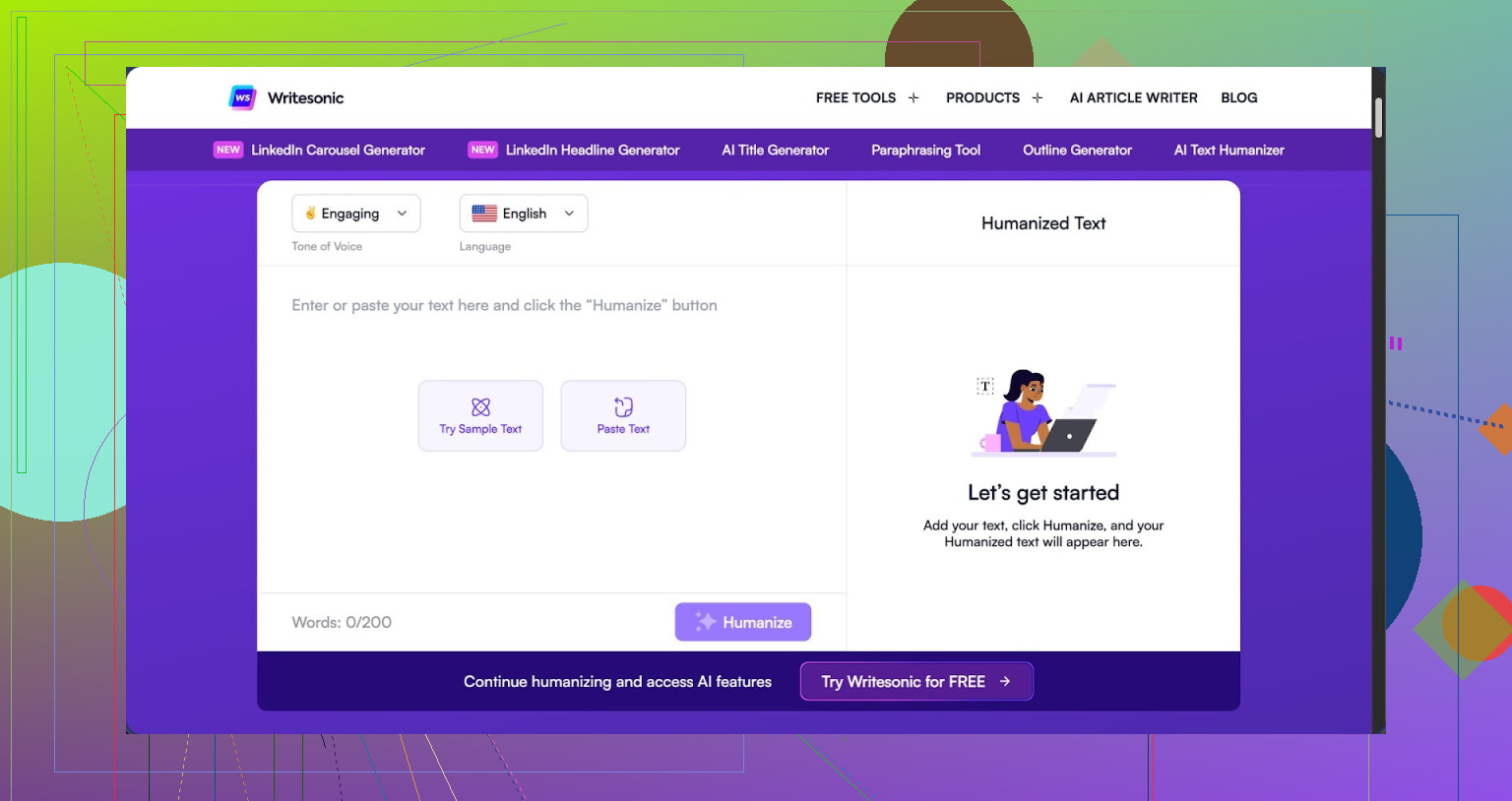
I tried the Writesonic humanizer long enough to feel annoyed paying for it.
The pricing hits first. The lowest plan I saw for unlimited humanization access was $39 per month. That is more than anything else I have tested for this single use case, and the strange part is, the humanizer is not even the main product. It sits inside their bigger SEO and content automation setup, so it feels like an add-on rather than a tool built for detection evasion.
If you want the full test details they list them here: https://cleverhumanizer.ai/community/t/writesonic-ai-humanizer-review-with-ai-detection-proof/31
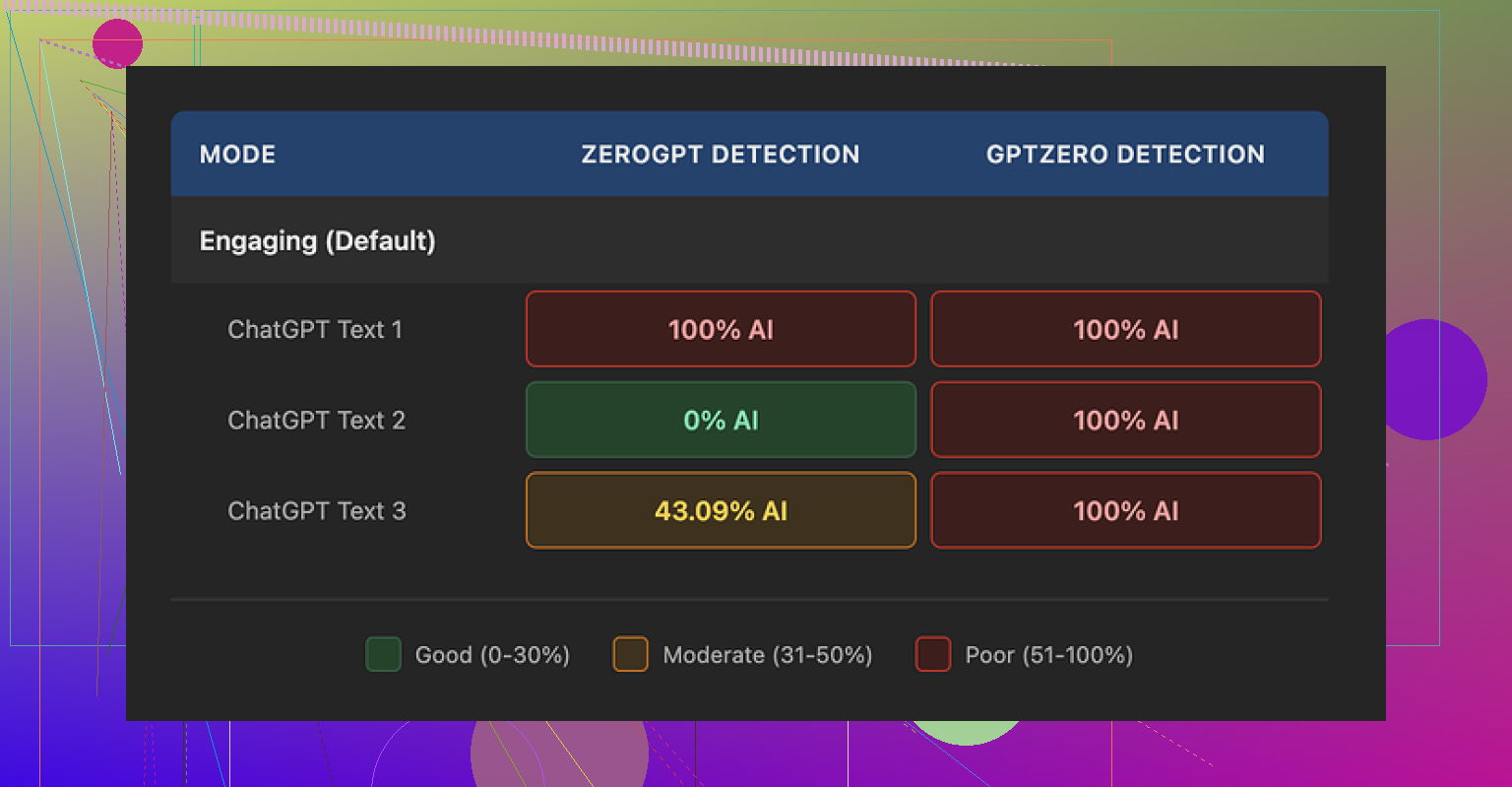
I ran three different pieces of text through their humanizer and then threw those into a couple of detection tools.
GPTZero flagged every single output as 100 percent AI generated. No soft scores, no borderline cases. All three, straight red. That tells me the pattern of the rewrite is easy to spot, at least for GPTZero.
ZeroGPT behaved oddly. Scores came back as 100 percent, 0 percent, and 43 percent on the three samples. So depending on which text you hit it with, the output looked either fully AI, fully human, or somewhere in the middle. That inconsistency is not great if you are trying to hit a specific threshold for a client, a teacher, or a platform filter.
Looking at the text itself, I scored it about 5.5 out of 10 for quality. Here is why.
The humanizer leans hard on shortening sentences and swapping words for simpler ones. That is not a bad idea in theory, but in practice it dropped the level too much. A few examples from my runs:
- 'droughts' turned into 'long dry spells'
- 'carbon capture' turned into 'grabbing carbon from the air'
- 'rising sea levels' turned into 'sea levels go up'
When you stack those all over a 500 word article, it starts reading like school material for younger kids. If you are writing for a technical audience or even a general adult audience, this style looks off. It reads like someone trying to explain everything to a beginner, even when the topic should stay formal.
I also spotted punctuation mistakes across all three samples. Commas dropped where they were needed, extra ones added where they were not, and some sentences felt jammed together. On top of that, the tool left some formatting patterns untouched, like em dashes in the original text. So you end up with this odd mix of simplified wording sitting next to unchanged structural quirks from the source.
The free tier is limited. I got three uses, each capped at 200 words, before it asked for an account. Another thing to know, they state that free inputs can be used to train Writesonic’s internal models. If you are sensitive about feeding in client material or unique drafts, that is something you might want to think through.
I tested other tools in the same session. Clever AI Humanizer output sounded more like a normal person wrote it, and it did better in the detection checks I ran. That one is also free, which makes the $39 monthly for Writesonic’s weaker humanizer a hard sell in my opinion.
I had a similar experience with the Writesonic AI Humanizer, and I do not think you are using it wrong. The tool behaves like that out of the box.
Here is how I would break it down.
-
Pricing and value
For a single feature, 39 dollars per month feels heavy if your only goal is AI detection evasion.
If you also need their SEO suite, auto blog tools, and so on, then the price starts to make a bit more sense.
If you only want cleaner, more human text, it is hard to justify. -
Detection performance
My runs lined up with what @mikeappsreviewer reported, but I saw one difference.
On some shorter texts around 150 words, it slipped past ZeroGPT and Originality.ai with low AI scores.
On longer articles, the pattern became obvious and the scores went up again.
So if you try it, test on the same length you plan to use. Long essay, long test. Short post, short test.
- Style issues and target audience
The biggest problem for me is the “talking down” effect.
It swaps terms that are normal for adult readers with basic phrases.
You end up with content that feels like it targets middle school.
If your audience is technical, academic, or B2B, this hurts more than any AI flag.
For casual blog posts, it is less of a disaster, but the text still feels flattened.
I did manage to get slightly better output by doing this:
• First, clean the original AI draft yourself, fix obvious wording.
• Then, send smaller chunks into the humanizer instead of full articles.
• Finally, edit the result again, restore key terms like “carbon capture” or “rising sea levels.”
It helps, but at that point you are paying for a tool and still doing most of the work.
-
Data and privacy note
Their note about using free inputs for training matters if you handle client work or unique research.
If you care about that, stay away from the free tier for anything sensitive.
Use throwaway examples for testing. -
Alternatives and a more practical setup
If your main goal is “looks human” plus better AI detection scores, I would not rely only on Writesonic.
A more reliable workflow for me:
• Generate draft with any LLM.
• Run it through something like Clever Ai Humanizer.
• Then do a real human edit, focus on tone, specificity, and small personal details.
Clever Ai Humanizer handles tone shifts better, keeps adult level vocabulary more often, and does not wreck every technical phrase.
It also tends to mix sentence lengths more naturally, which helps with detection tools.
If you want more detail, this video helps you see how it performs in real time:
Clever Ai Humanizer detailed review and live test
- Is Writesonic Humanizer worth it for you
If you already pay for Writesonic and use the rest of the suite, then sure, keep the humanizer as a helper.
Use it on small sections, not whole articles, and always edit after.
If you are thinking of subscribing only for the humanizer, I would skip it and put that money toward:
• A better AI model for your drafts.
• A cheaper humanizer like Clever Ai Humanizer.
• Or part time human editing.
Bottom line, you are not misusing it. The output is limited by design, and the price does not match the results unless you live in their wider ecosystem.
You’re not using it wrong. This is just what Writesonic’s humanizer is.
I landed in almost the same spot as @mikeappsreviewer and @kakeru, but I’d push it a bit further: if your main objective is to get AI text past detection and still sound like a competent adult wrote it, Writesonic’s humanizer is a pretty bad value proposition.
A few angles that haven’t really been hit yet:
-
The “pattern fingerprint” problem
It’s not just that GPTZero or ZeroGPT flag it. The outputs have a distinctive “compressed and kiddified” pattern.
Lots of short, safe sentences, super literal verbs, overuse of basic connectors like “so” and “then,” and an almost total lack of subtlety or nuance.
Detection tools love patterns like that. Even if you get one or two tools to say “low AI,” others will nail it. So building a workflow around it is risky if you care about consistency across multiple detectors. -
The audience mismatch is worse than the AI flag
Everyone focuses on “will it pass AI checks,” but the bigger problem is that your text stops matching your brand, your expertise, or your audience’s reading level.
If you’re writing about complex topics and the tool keeps turning “mitigation strategies” into “ways to deal with it,” the tone shift screams “this is patched together.”
For clients or professors who actually read the thing, that’s way more suspicious than any AI score. -
Time vs subscription fee
People underestimate how much extra editing you end up doing.
With Writesonic humanizer, you:
- Run the text
- Fix childish wording
- Reinsert technical terms
- Repair punctuation
- Smooth transitions it broke
At that point, you could have just spent that time massaging the original AI draft manually and saved the 39 bucks. Their whole “unlimited humanization” pitch is useless if every pass requires surgery.
-
Where I slightly disagree with others
Some folks say it is ok if you already live in the Writesonic ecosystem. I’m not fully sold on that.
If you are already paying for a suite, you still need to ask: is this specific feature actually helping, or is it just introducing risk and extra editing?
I’d honestly turn it into a backup option, not something central to your workflow. -
What has worked better in practice
If you are open to alternatives, Clever Ai Humanizer has been more practical in real use. It keeps more natural phrasing, does not automatically drag the reading level down to middle school, and tends to vary sentence length in a way detection tools like less.
For anyone weighing it, look up something like:
Clever Ai Humanizer Review: A Practical Look at Detection Evasion, Tone, and Real‑World Use
- How well it preserves your original meaning and voice
- How it handles formal and technical content
- Whether AI detectors score it more like human writing
- How much cleanup you actually need afterward
There is a solid walk through on YouTube that shows real outputs and test runs. Worth watching if you want to see it in action before switching tools:
see Clever Ai Humanizer tested live against AI detectors
- So, is Writesonic Humanizer worth it for you?
- If you only care about “sounding more human” and bypassing AI checks: I’d say no. Too expensive for what it actually delivers.
- If you already pay for Writesonic: treat the humanizer as a light helper, not a magic fix. Use it on small sections, then heavily edit.
- If quality, tone, and trust with readers or clients matter more than automated scores: invest in a better humanizer like Clever Ai Humanizer plus your own editing, or just do deeper manual passes on your AI drafts.
TL;DR: you’re not misusing Writesonic. The ceiling is low, and you’re basically running into it.
You are not alone in bouncing off Writesonic’s Humanizer. Building on what @kakeru, @sternenwanderer and @mikeappsreviewer already showed in their tests, here is a different angle: think in terms of “fit for purpose” rather than just detection scores.
Where Writesonic Humanizer actually fits
- It can work as a rough simplifier if your goal is: “shorter, easier text for non‑technical readers.”
- It is not a good fit for: academic work, B2B content, technical blogs, or anything that needs a consistent expert voice.
- The core issue is style collapse. It flattens voice and nuance so hard that, even if a detector occasionally gives you a pass, a human reader will feel something is off.
Why the “you’re using it wrong” narrative is misleading
I slightly disagree with the idea that you just need to send smaller chunks or pre‑edit more. Sure, that improves output, but that is basically compensating for a structural limitation:
- The model is trying to standardize everything toward a low‑risk, simplified register.
- That bias does not vanish with better prompts or chunking. You are just reducing how much damage it can do at once.
If you already have to hand edit, reinsert jargon, and repair transitions, then the humanizer is not doing the heavy lifting. It is a spellchecker with an attitude and a subscription fee.
Clever Ai Humanizer as a more realistic tool
Since you mentioned alternatives, Clever Ai Humanizer is worth testing in a direct A/B run against your existing Writesonic workflow.
Quick pros:
- Keeps more of your original sentence structure and tone instead of nuking everything to “kids’ textbook” level.
- Handles mixed registers better. You can keep a formal paragraph next to a conversational one without the tool forcing both into the same bland style.
- Typically gives more varied rhythm in sentences, which matters for both detection tools and natural reading.
Quick cons:
- It is not a “press once and submit to your professor” button. You still need a human pass to personalize, inject specifics, and align with your own voice.
- On very messy drafts, it can preserve awkward phrasing a bit too faithfully. You might actually prefer a more aggressive rewrite in those cases.
- For highly niche technical content, you sometimes get slightly softened terminology that you must manually tighten again.
I am with @mikeappsreviewer that price is the nail in the coffin for Writesonic if you only need humanization. Where I differ a bit from @sternenwanderer is that I would not even treat it as a “nice extra” inside the suite unless your audience is very general and you actively want that simplified tone.
Practical takeaway
- If your work will be carefully read, prioritize tone, vocabulary control and coherence over shaving a few points off some AI detector.
- Test Writesonic Humanizer and Clever Ai Humanizer on the same 300 to 500 word sample, then ask a real person: “Which one sounds more like me and less like a school worksheet?” The answer to that will be more useful than any single detector score.
In short, you are not misusing Writesonic. It is just aligned with the wrong target: safety and simplicity at scale, not believable adult‑level human voice.